HomeHow to useCoach & academy guide

Business Profile · Coach & academy guide

Run your whole academy from your phone

Step-by-step guide for sports academies and coaches. Each feature is shown with real app screens and numbered steps.

Every tool is free. No subscription.

Academy fees and product prices are set by academies and sellers.

Start here

How to use this guide

Find the task you need, then follow it one step at a time.

1

Pick a section or search

Use the section list or type what you want to do, like “attendance” or “fees”.

2

Follow the numbered steps

Steps play one at a time. Tap any step, or use Next and Back to go at your own pace.

3

Watch where to tap

The glowing box on the phone shows exactly where to tap, with the same number as the step.

Step-by-step guide

Learn the app, one task at a time

11 sections and 27 short guides, each with real screens from the app.

No guide matches that yet.
Try a simpler word like “attendance”, “fees”, “batch” or “package”.
Section 01 of 11

Getting Started

Create your Business Profile with just your phone number.

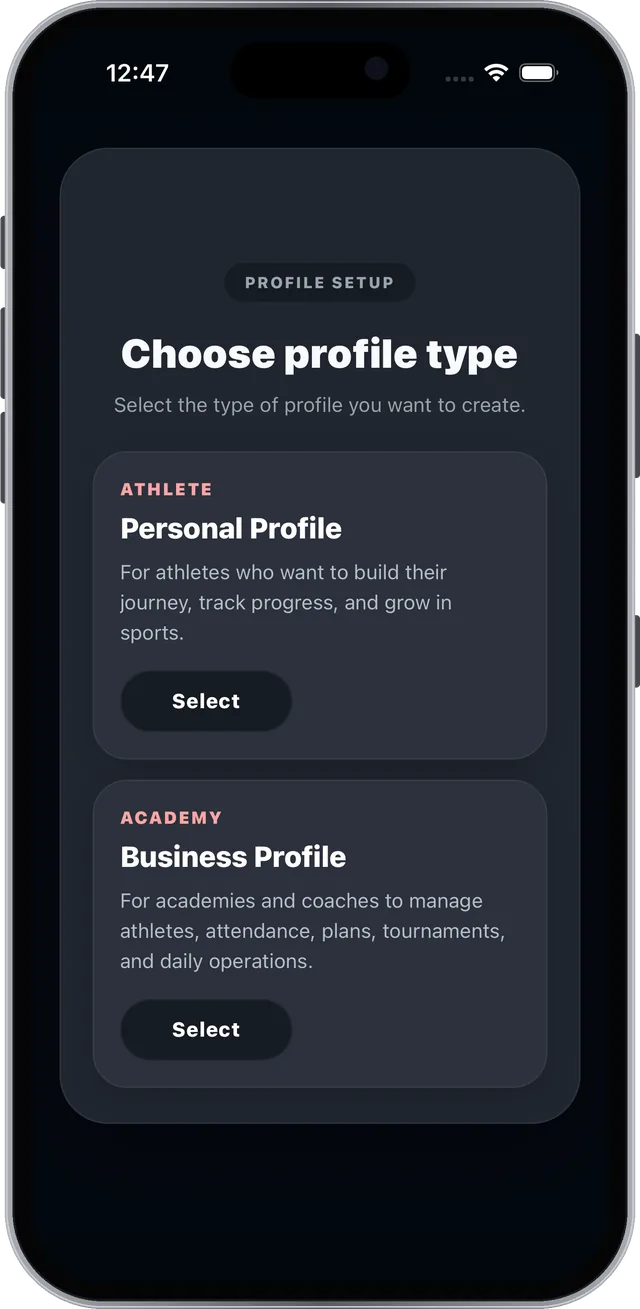
  • Choose Business Profile
  • Pick your sport and location
  • Verify your number, set up your profile
Guide 1.1 · Getting Started

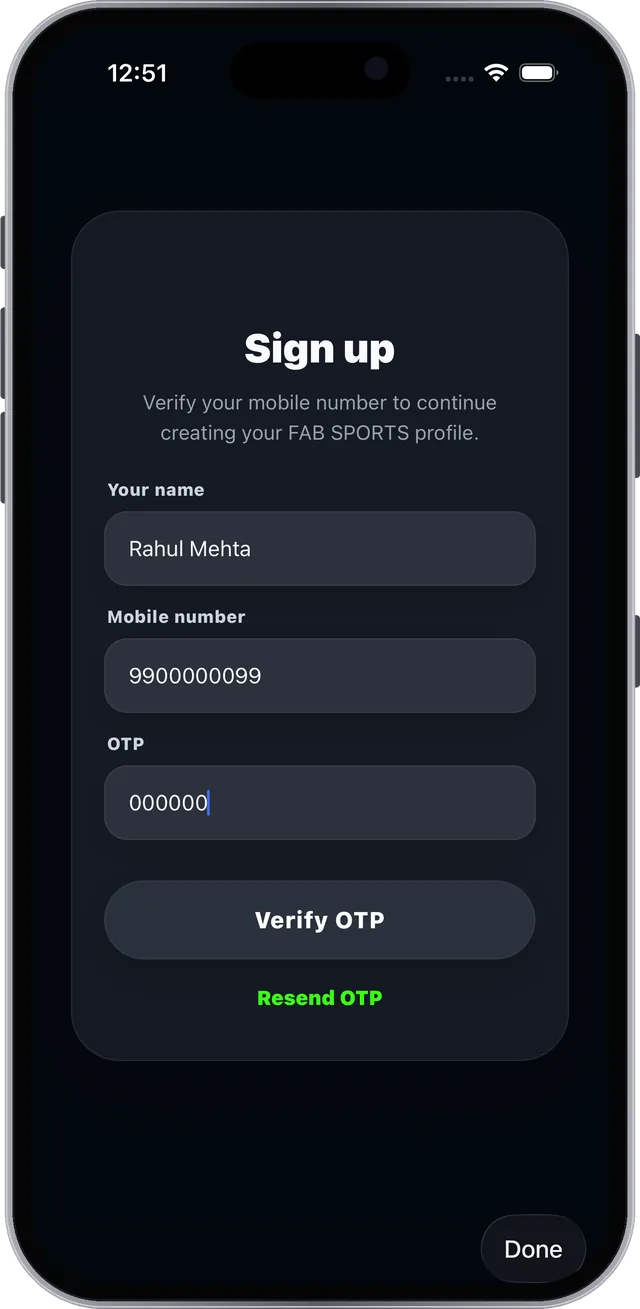
Sign up and choose Business Profile#

Open FAB SPORTS and start a new account.

Step 1 of 3
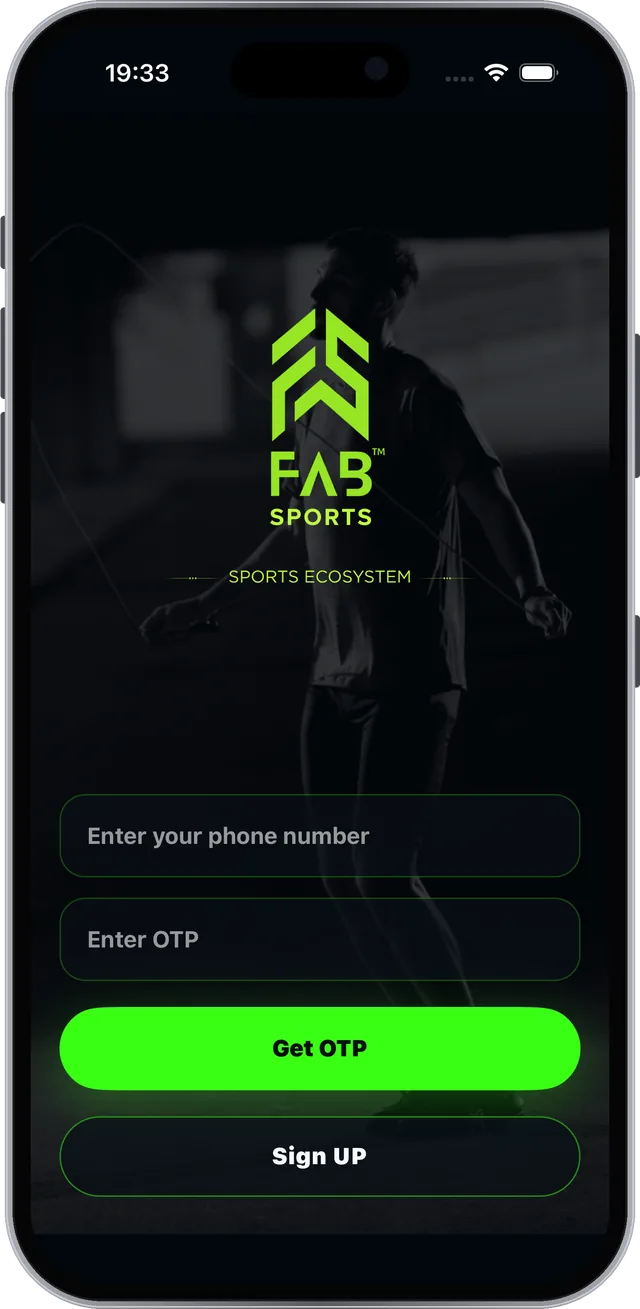
FAB SPORTS app screen: Sign up and choose Business Profile

Real screen from the FAB SPORTS app

Guide 1.2 · Getting Started

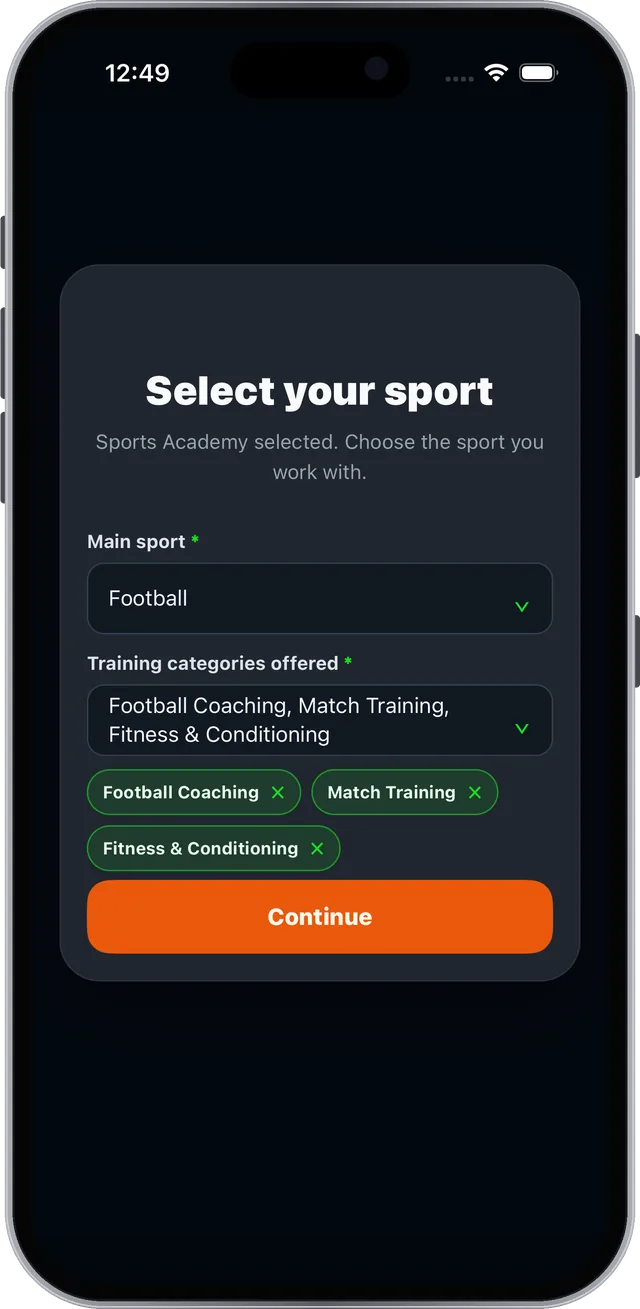
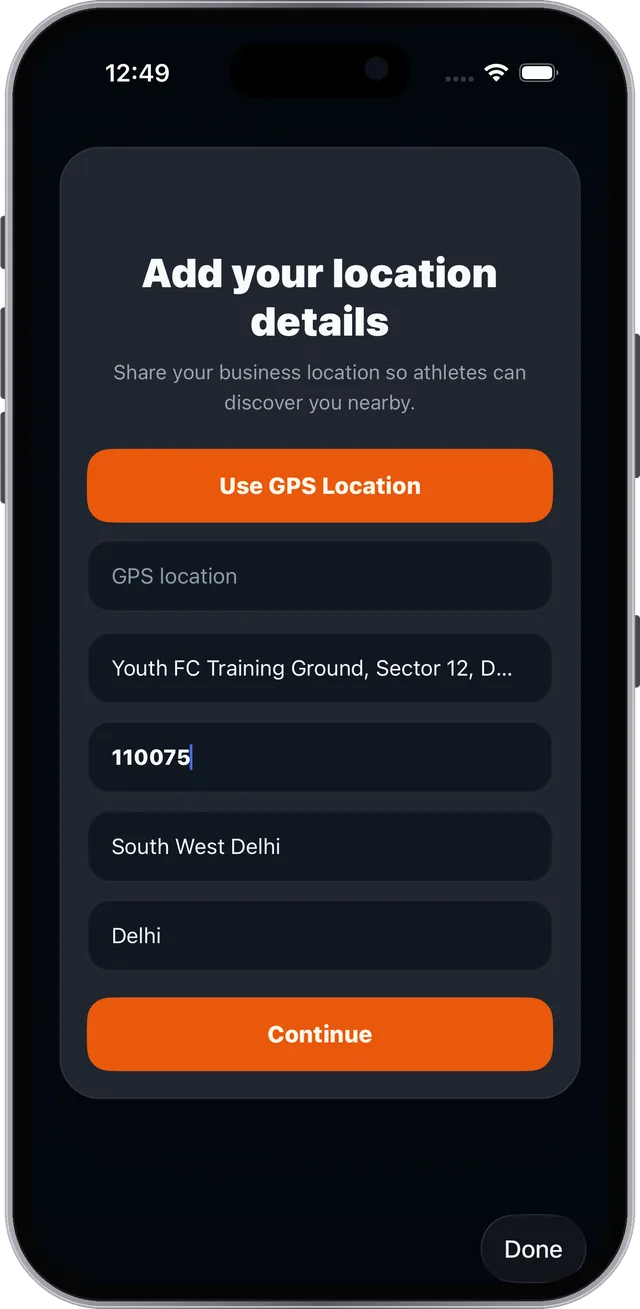
Tell athletes what you teach and where#

Your sport and location help athletes nearby discover you.
Step 1 of 3
FAB SPORTS app screen: Tell athletes what you teach and where

Real screen from the FAB SPORTS app

Guide 1.3 · Getting Started

Finish your profile and you are live#

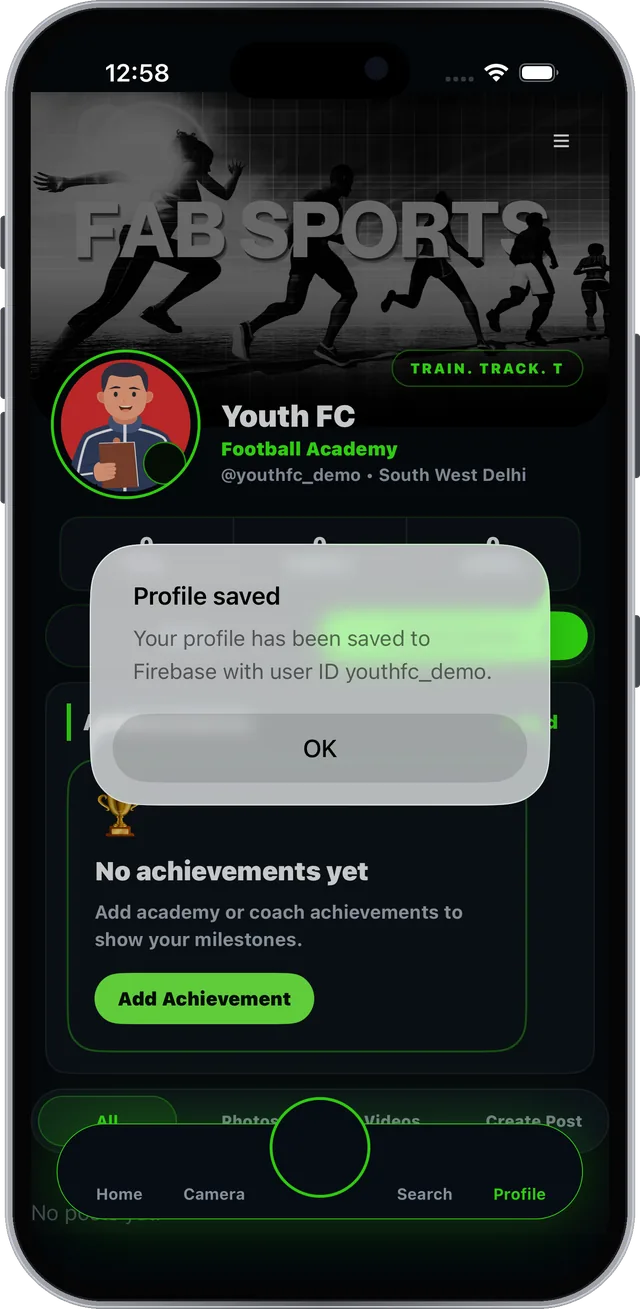
Add your picture, name, user ID and bio.
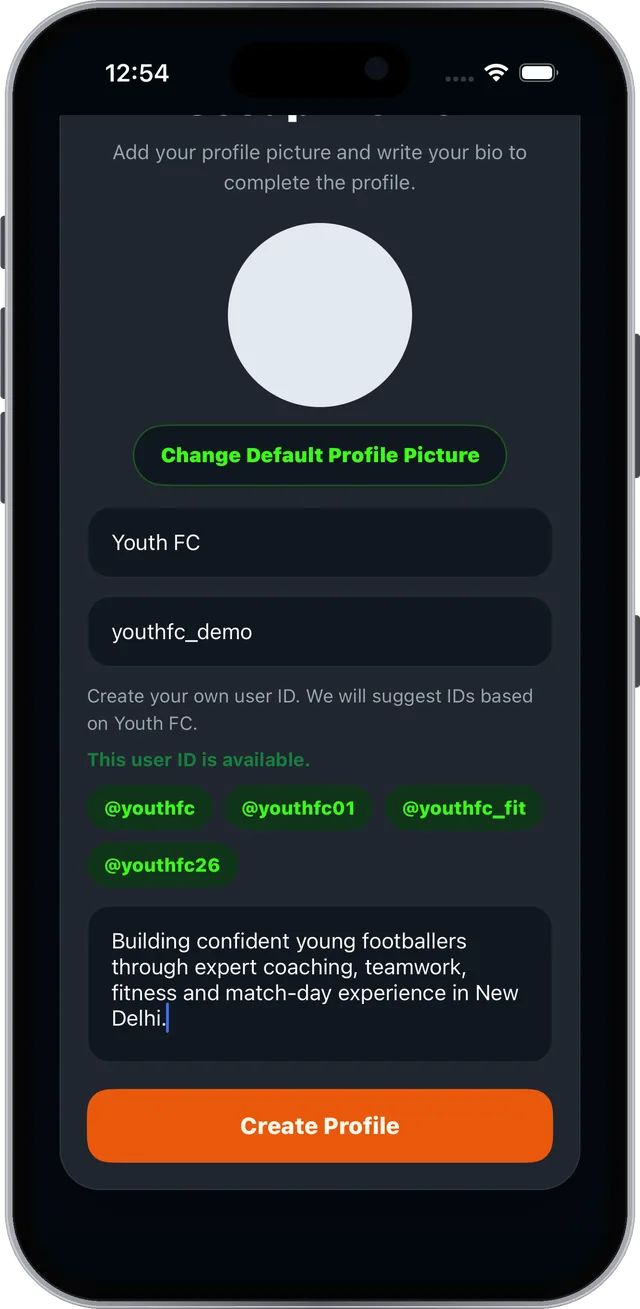
Step 1 of 3
FAB SPORTS app screen: Finish your profile and you are live

Real screen from the FAB SPORTS app

Section 02 of 11

Dashboard

FSLA is your academy control room. Every tool is one tap away.

  • The FSLA tools menu
  • The bottom tab bar
  • Your academy profile
Guide 2.1 · Dashboard

FSLA puts every tool one tap away#

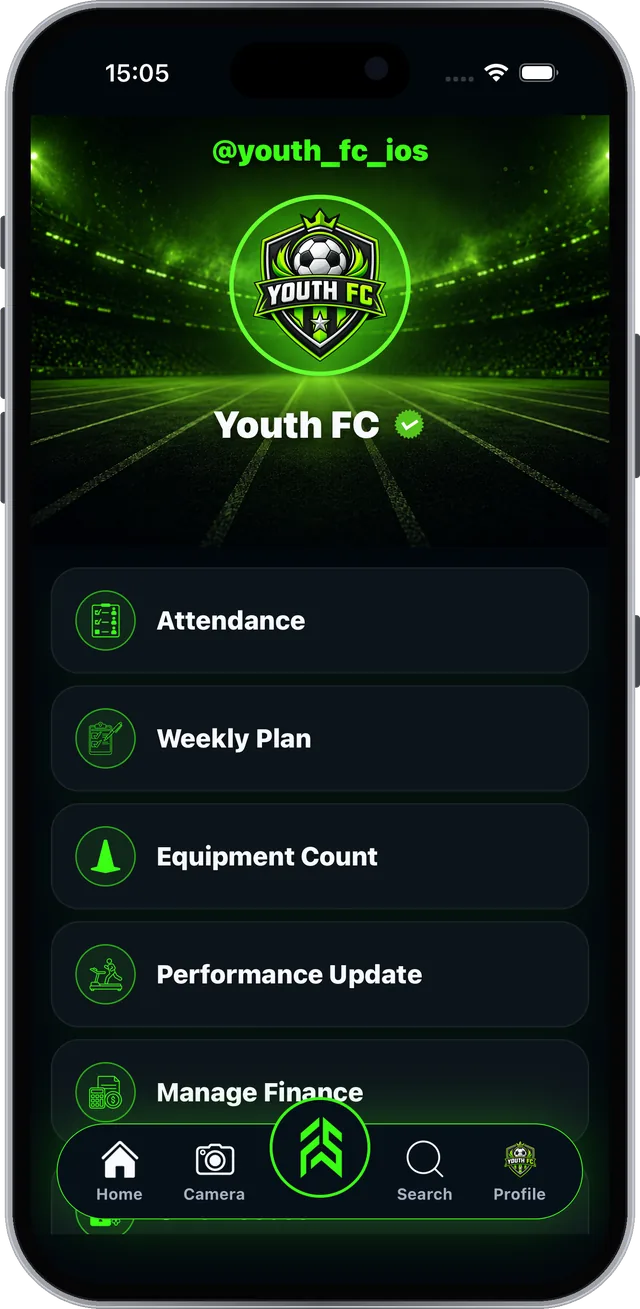
Tap the green FAB button in the middle of the tab bar.

Step 1 of 2

Tab bar: Home · Camera · FAB (FSLA) · Search · Profile

Your FSLA tools

AttendanceBatches, members, consent
Weekly PlanWorkouts per batch
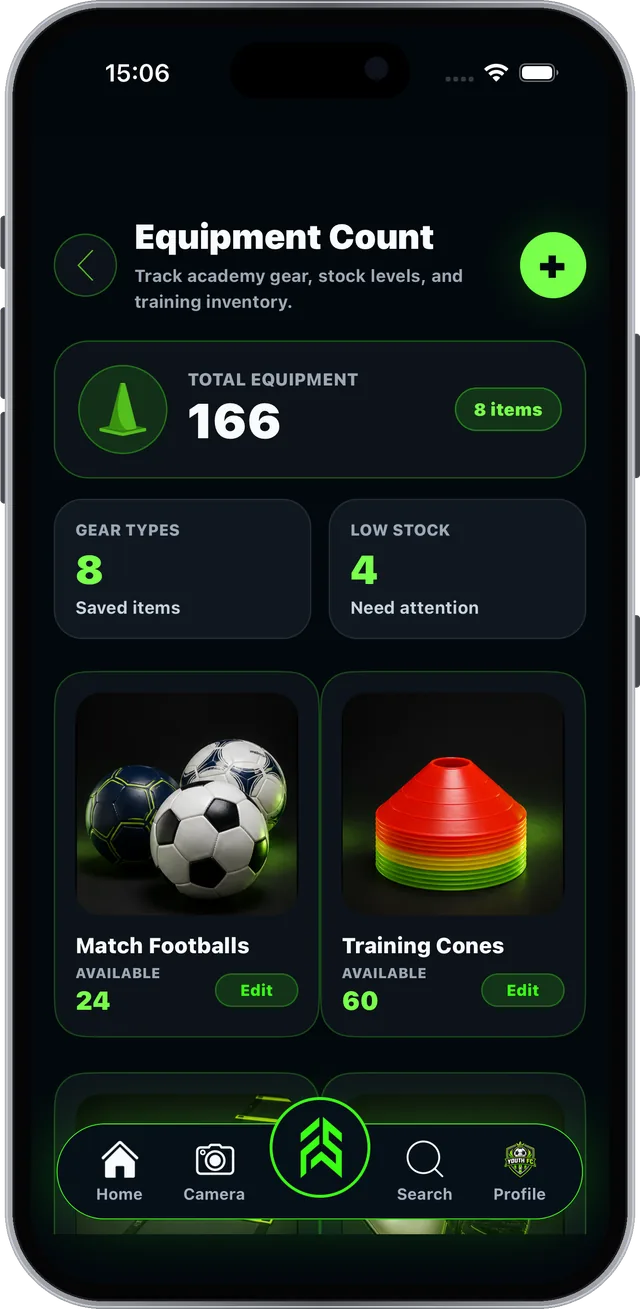
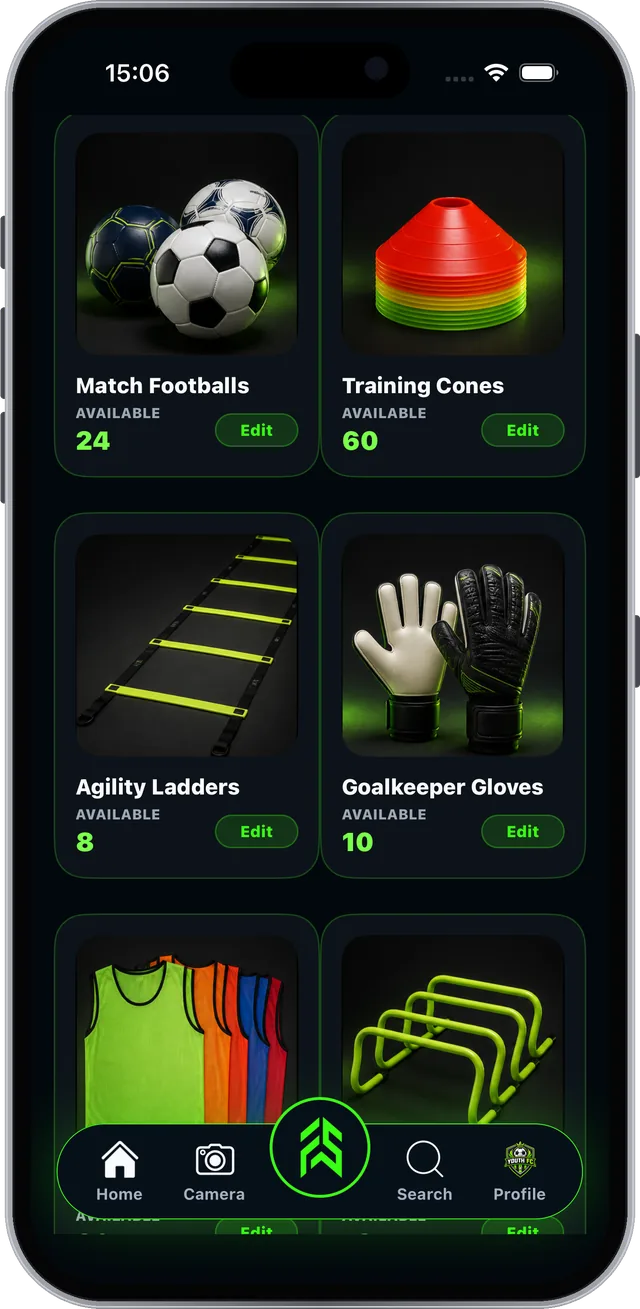
Equipment CountGear and low stock
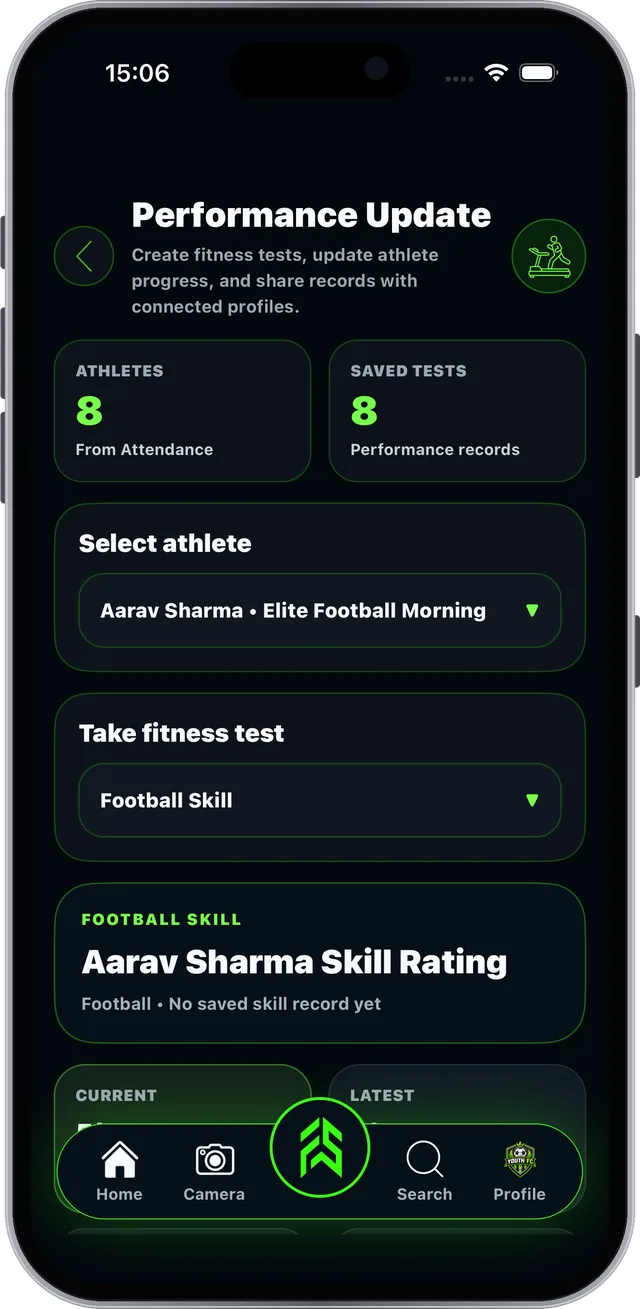
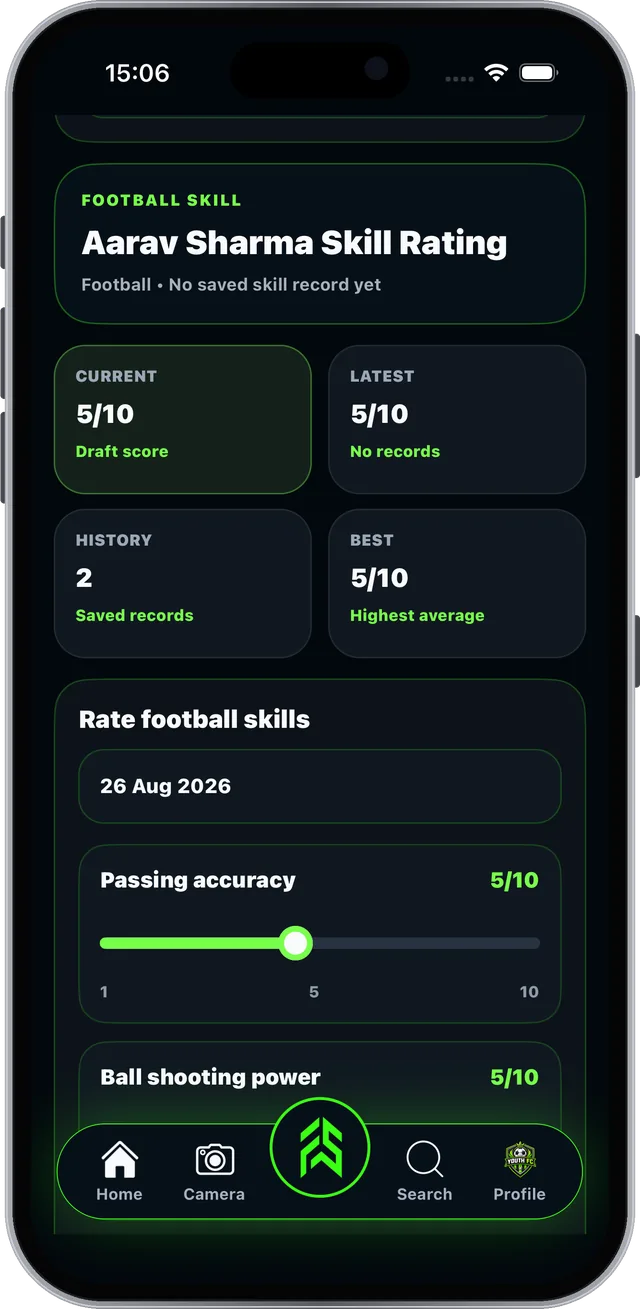
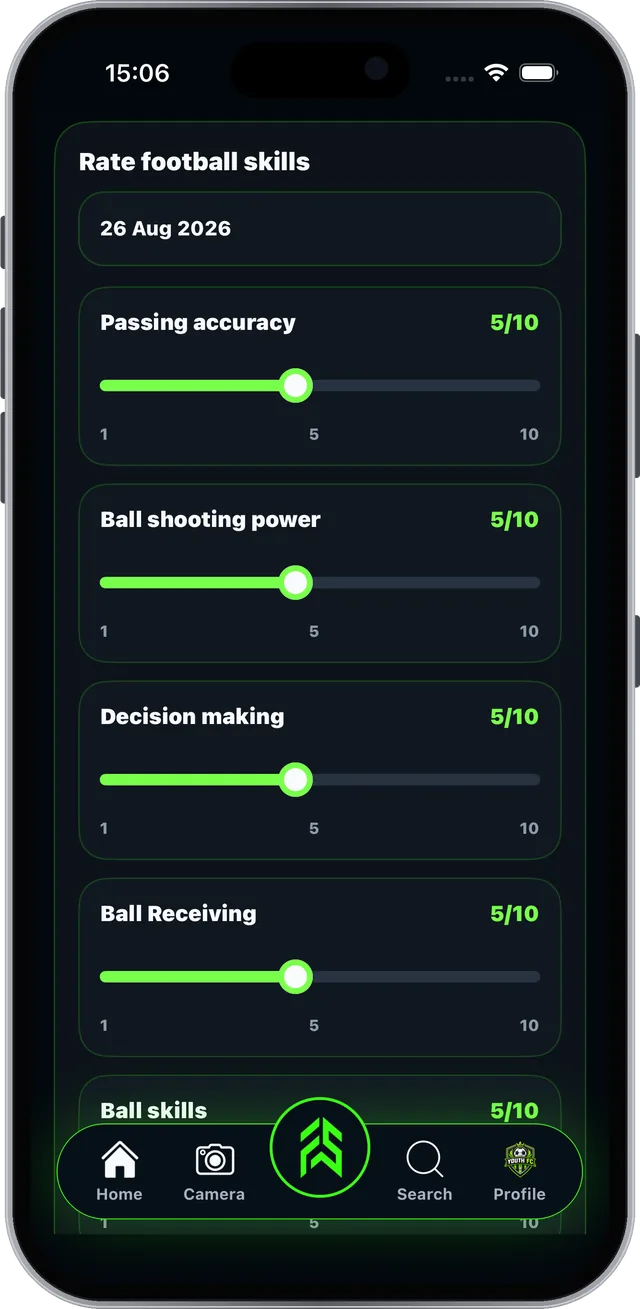
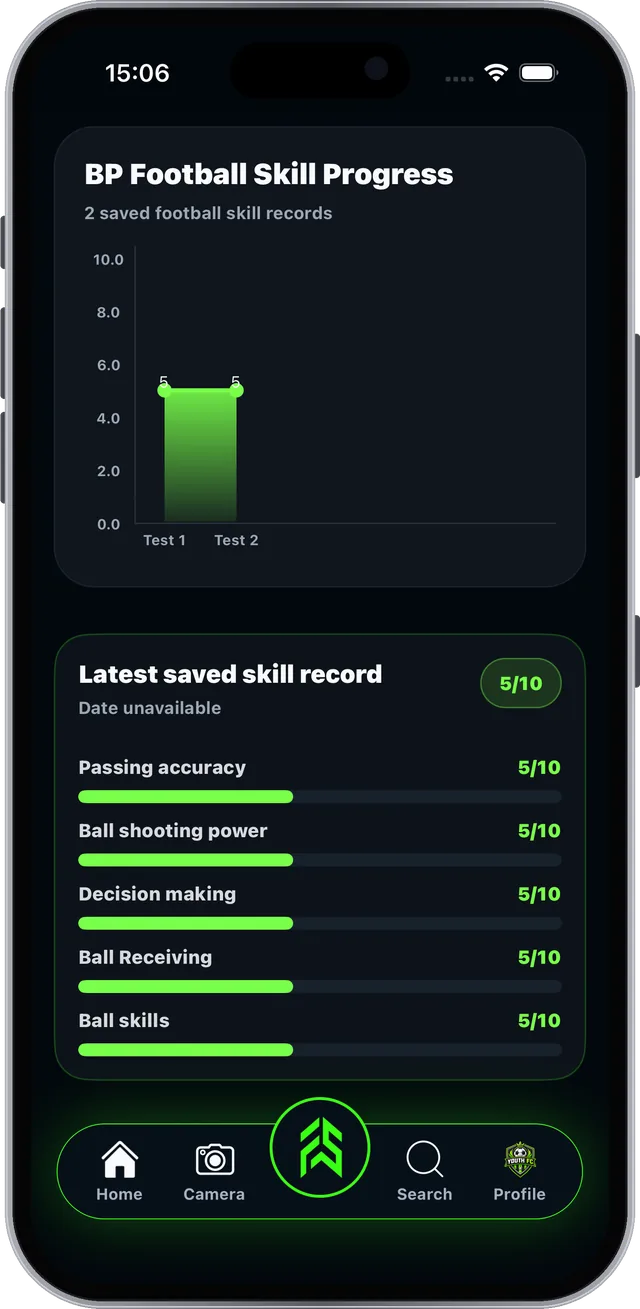
Performance UpdateTests and skill ratings
Manage FinanceFees, staff, expenses
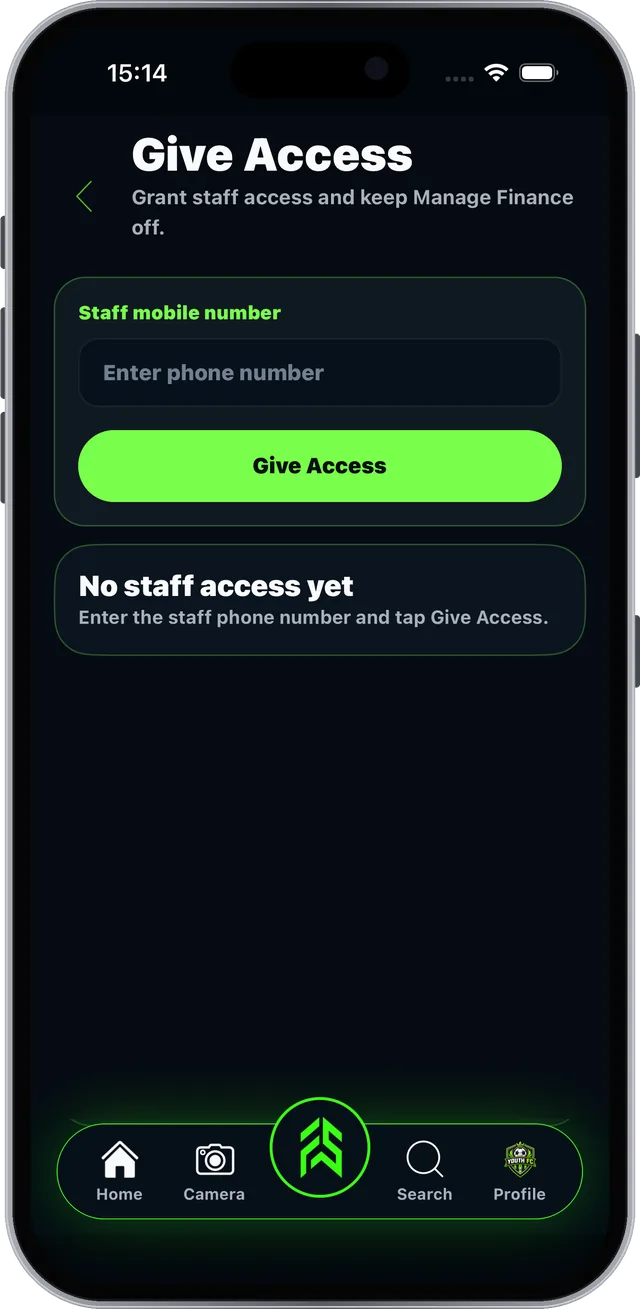
Give AccessStaff help (owners only)
FAB SPORTS app screen: FSLA puts every tool one tap away

Real screen from the FAB SPORTS app

Guide 2.2 · Dashboard

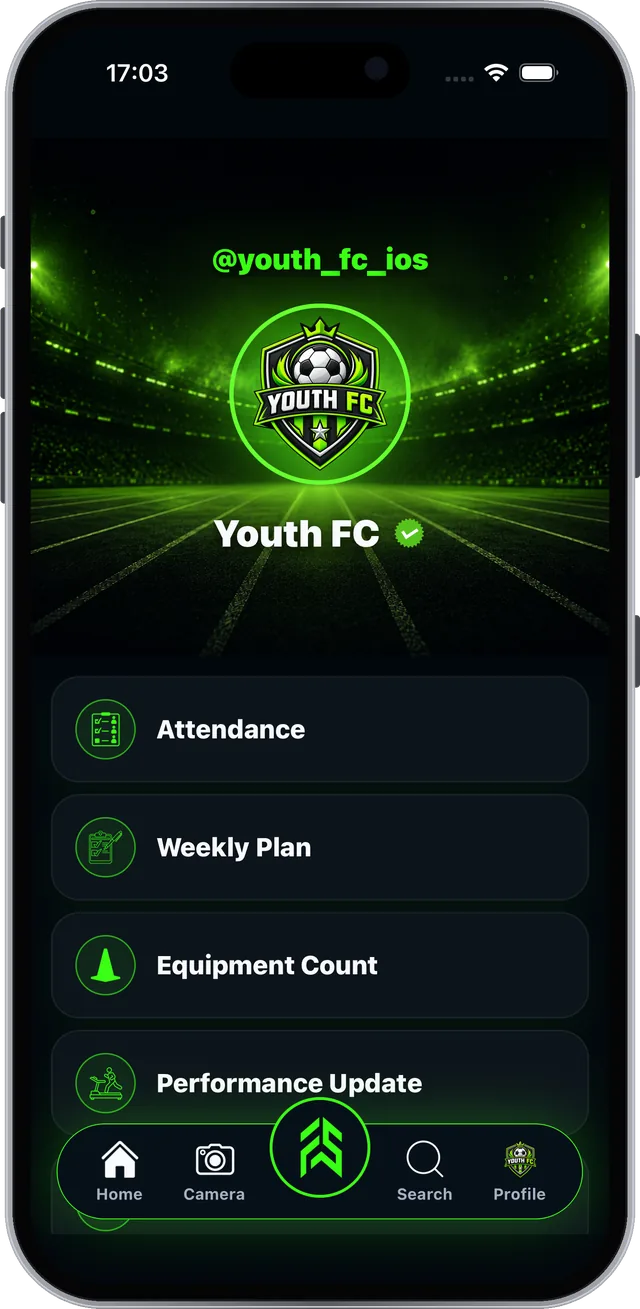
Your academy profile is your shop window#

This is what athletes and parents see when they find you.
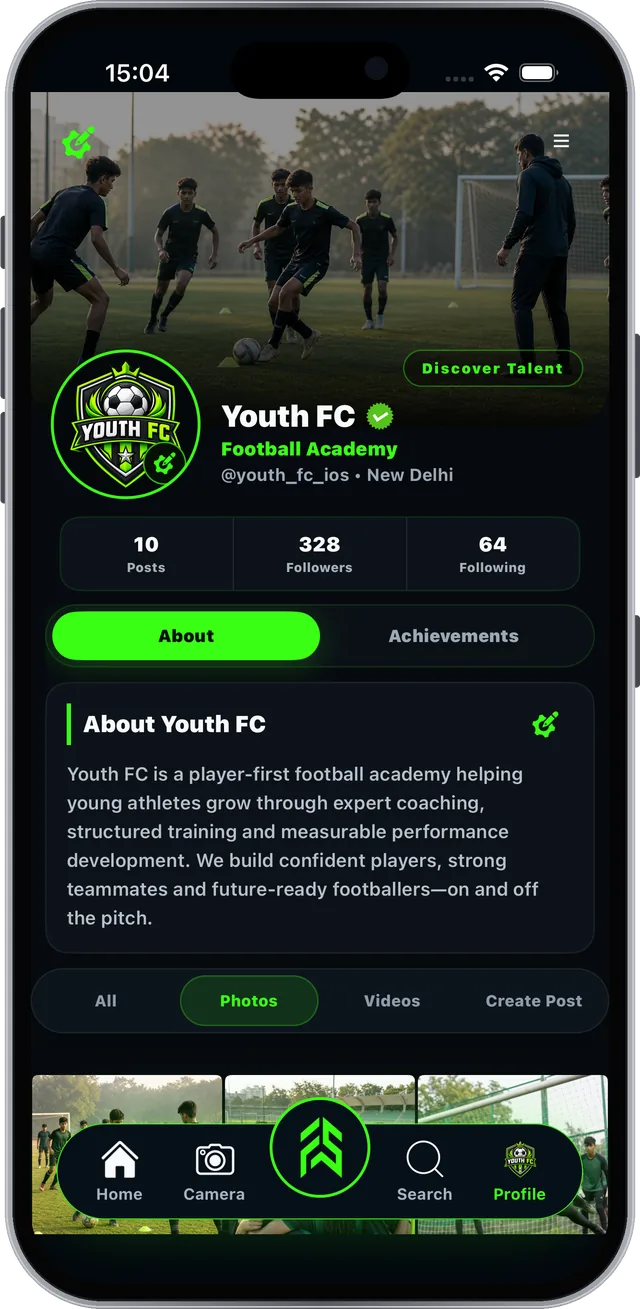
Step 1 of 4
FAB SPORTS app screen: Your academy profile is your shop window

Real screen from the FAB SPORTS app

Section 03 of 11

Members & Batches

Bring athletes in and group them into batches.

  • How athletes join
  • Create and edit batches
  • Assign members to a batch
Guide 3.1 · Members & Batches

How athletes join your academy#

Members come to you through your public profile.
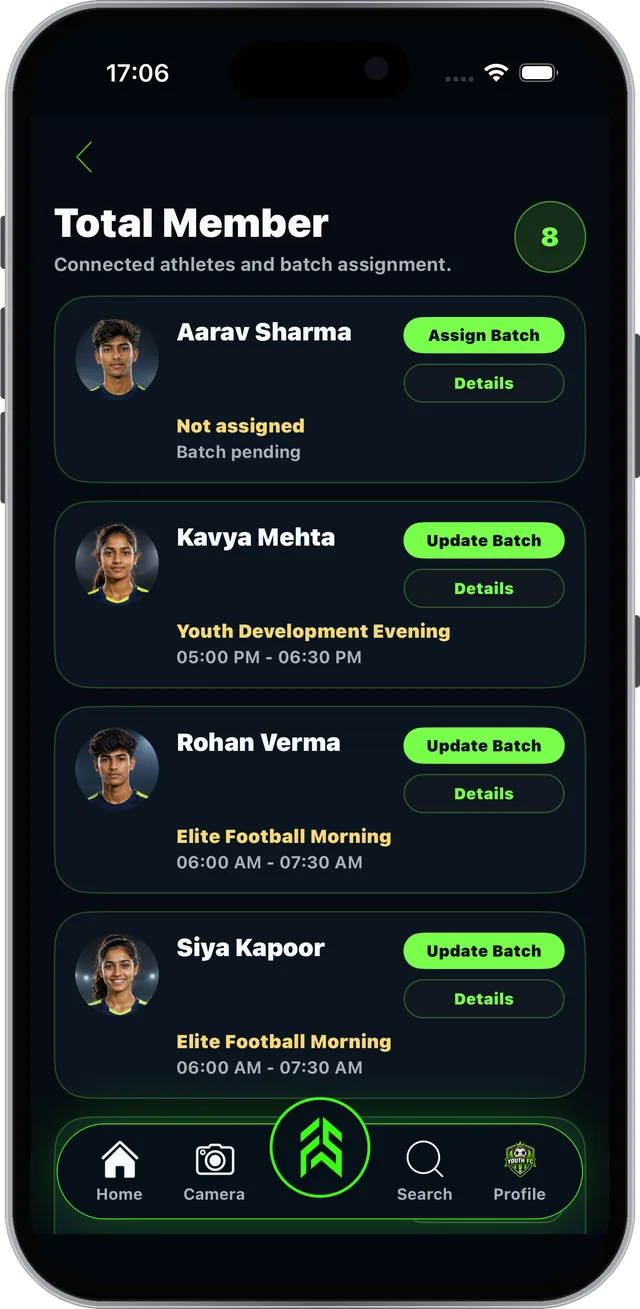
Step 1 of 4
FAB SPORTS app screen: How athletes join your academy

Real screen from the FAB SPORTS app

Guide 3.2 · Members & Batches

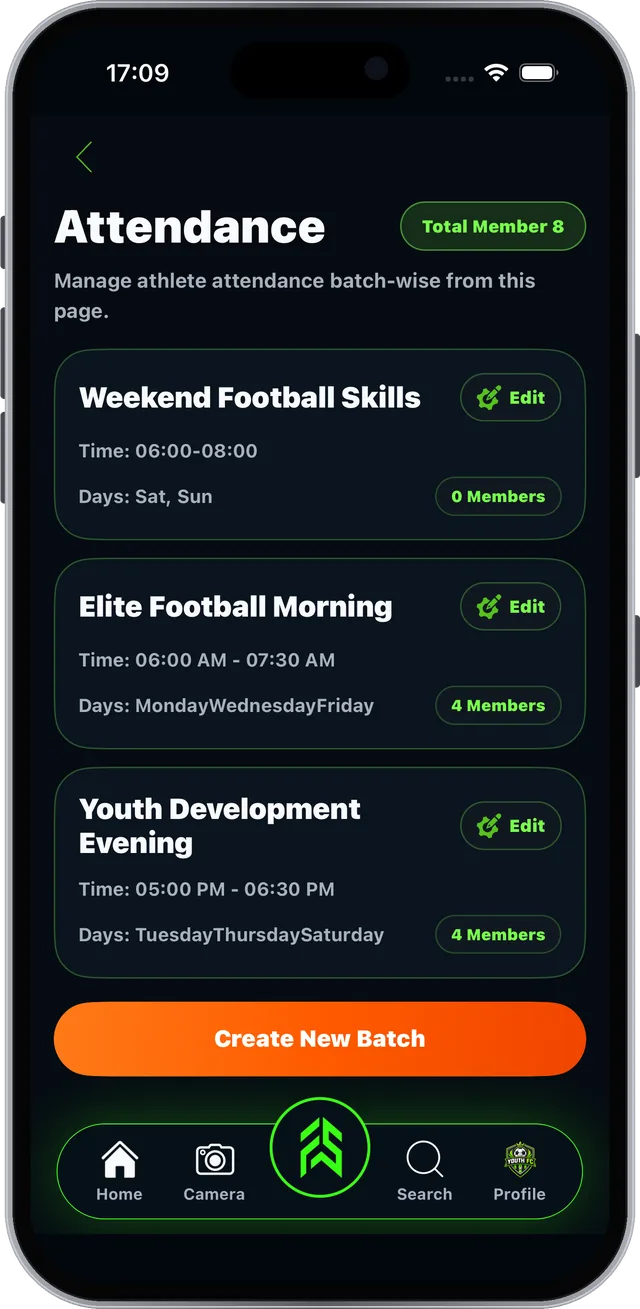
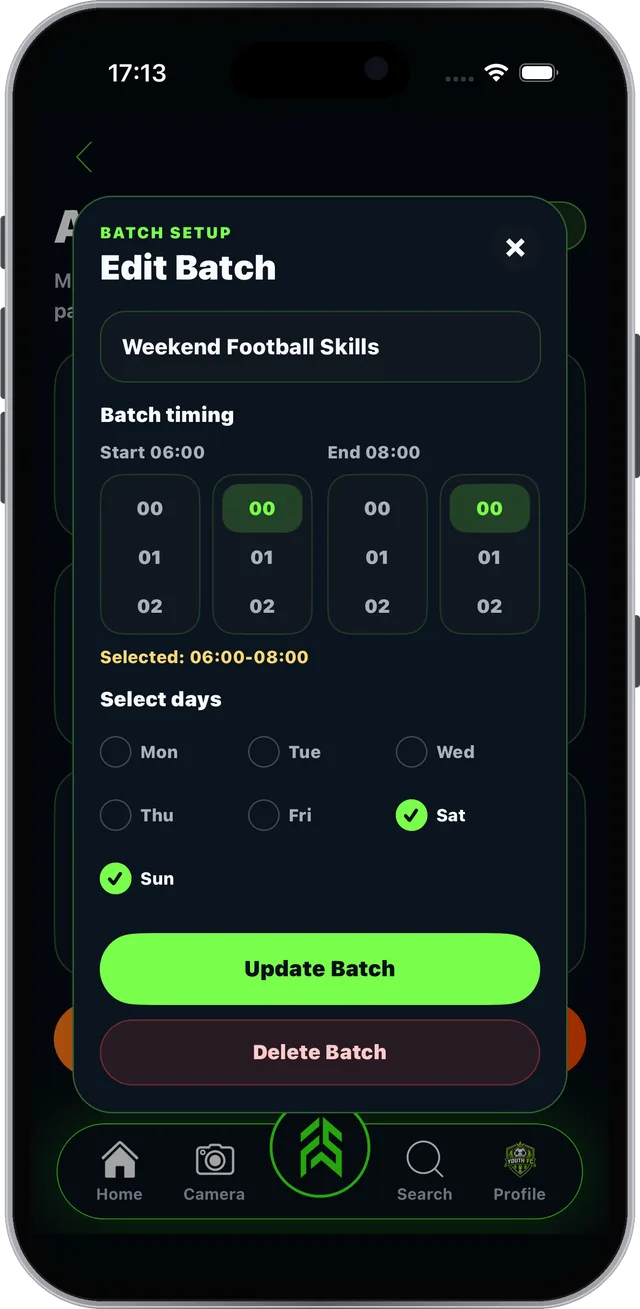
Create a batch in seconds#

Batches group athletes by timing and training days.
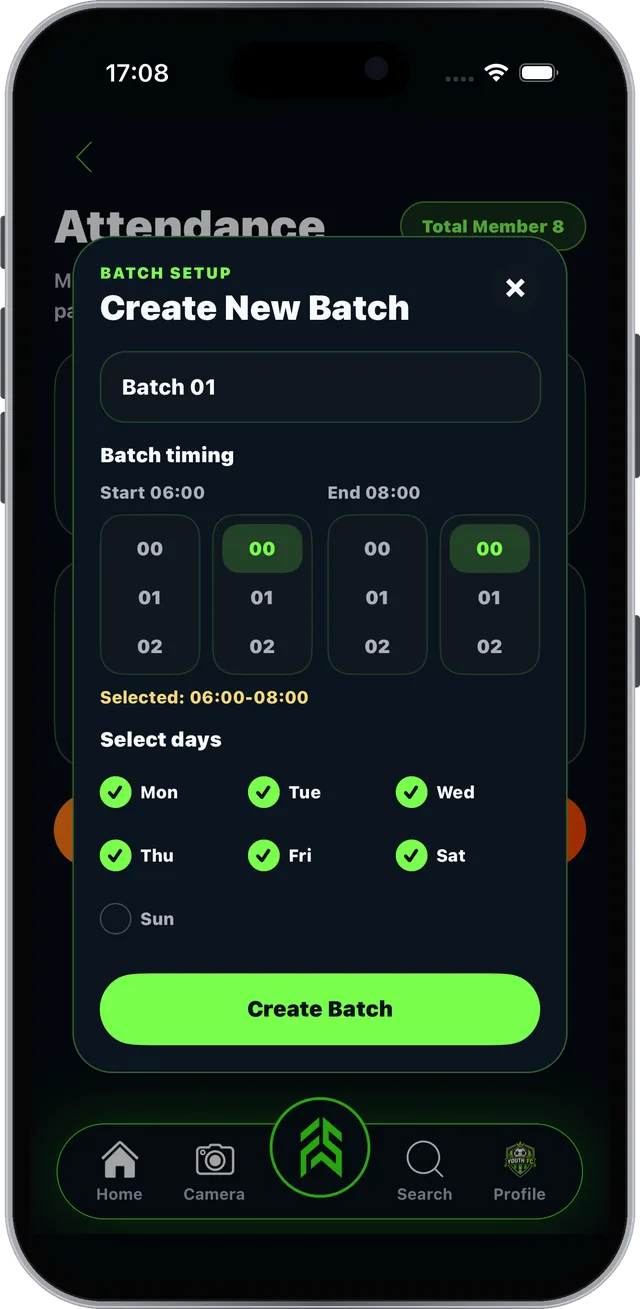
Step 1 of 3
FAB SPORTS app screen: Create a batch in seconds

Real screen from the FAB SPORTS app

Guide 3.3 · Members & Batches

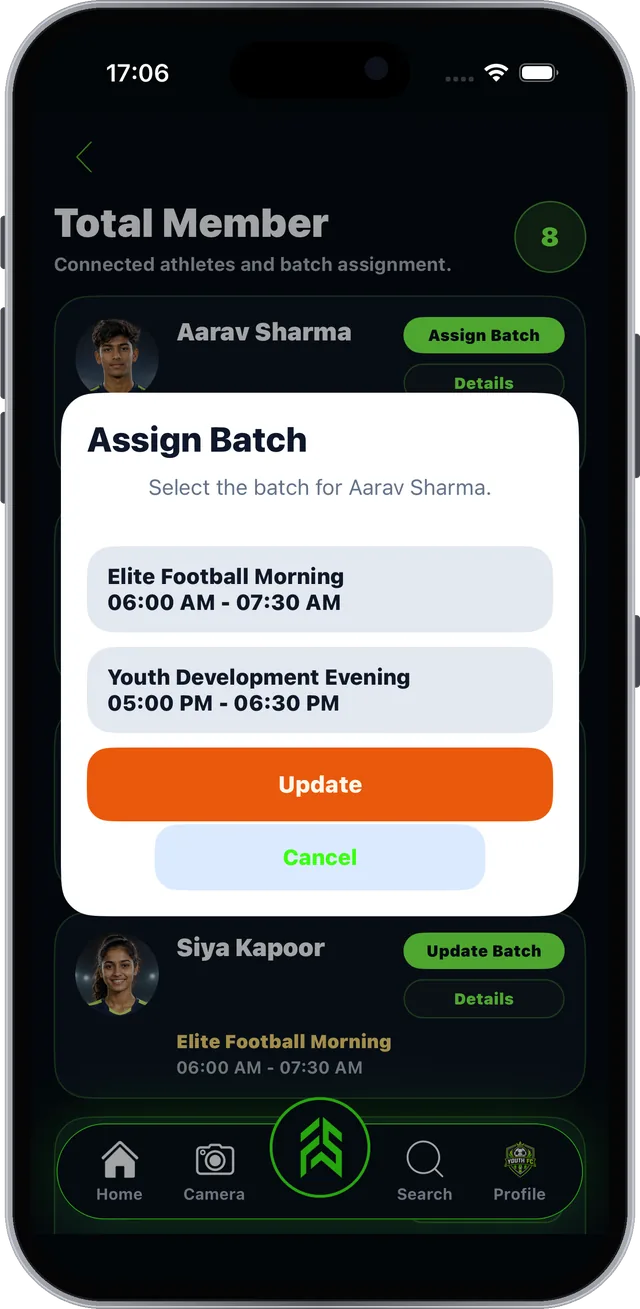
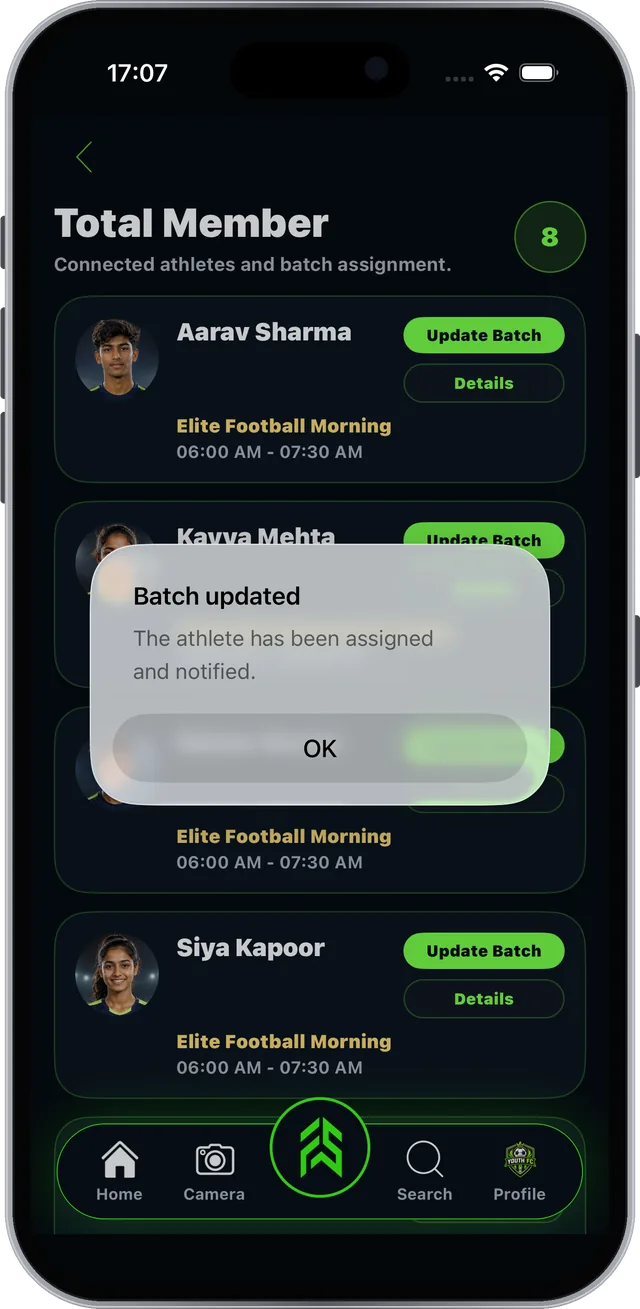
Put every member in the right batch#

Assigning takes two taps, and the athlete is notified.

Step 1 of 3
FAB SPORTS app screen: Put every member in the right batch

Real screen from the FAB SPORTS app

Section 04 of 11

Attendance

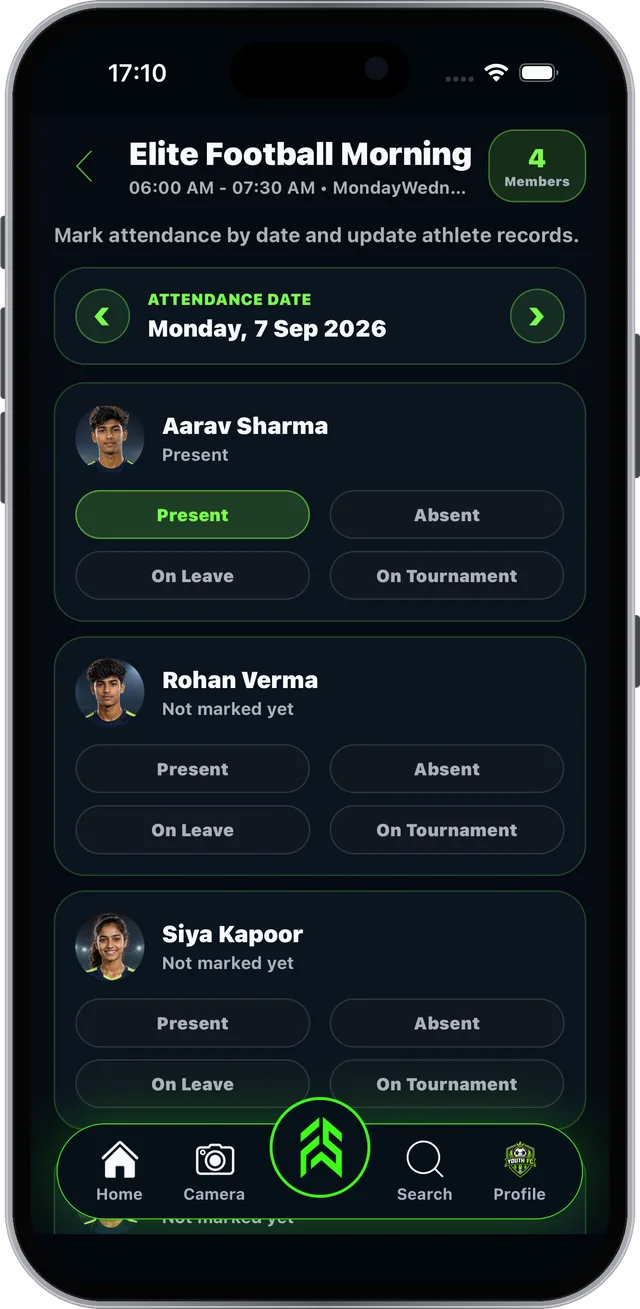
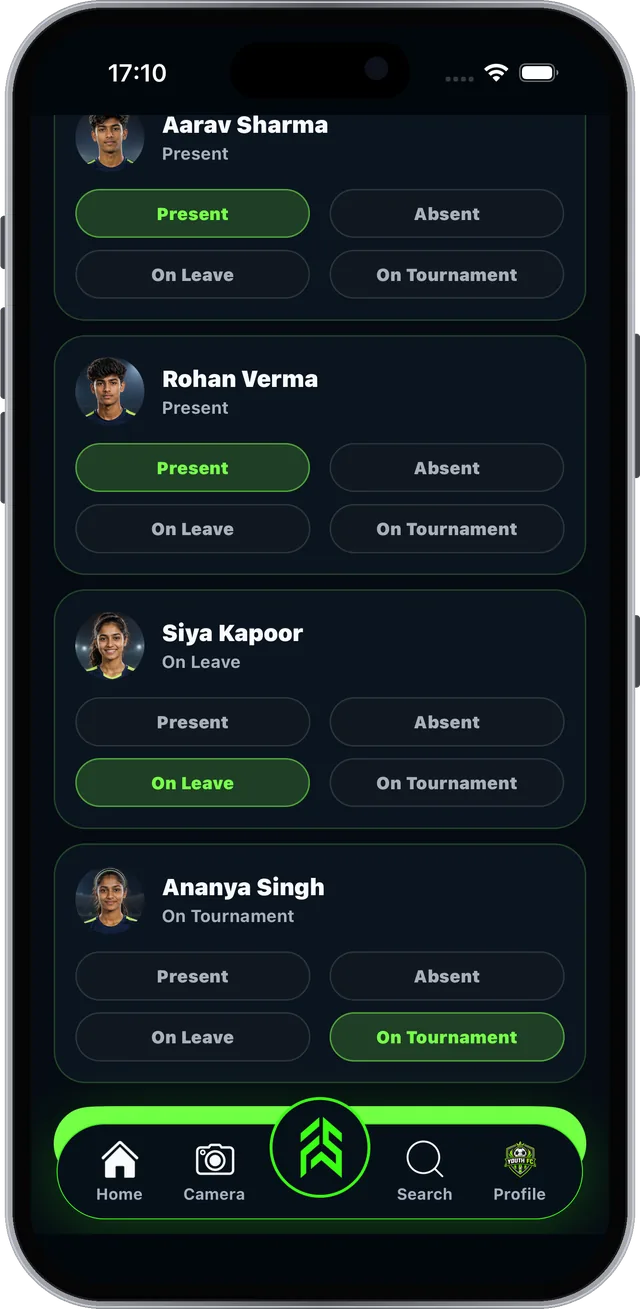
Mark a whole batch in under a minute. No registers.

  • Open a batch and pick a date
  • Mark the four statuses
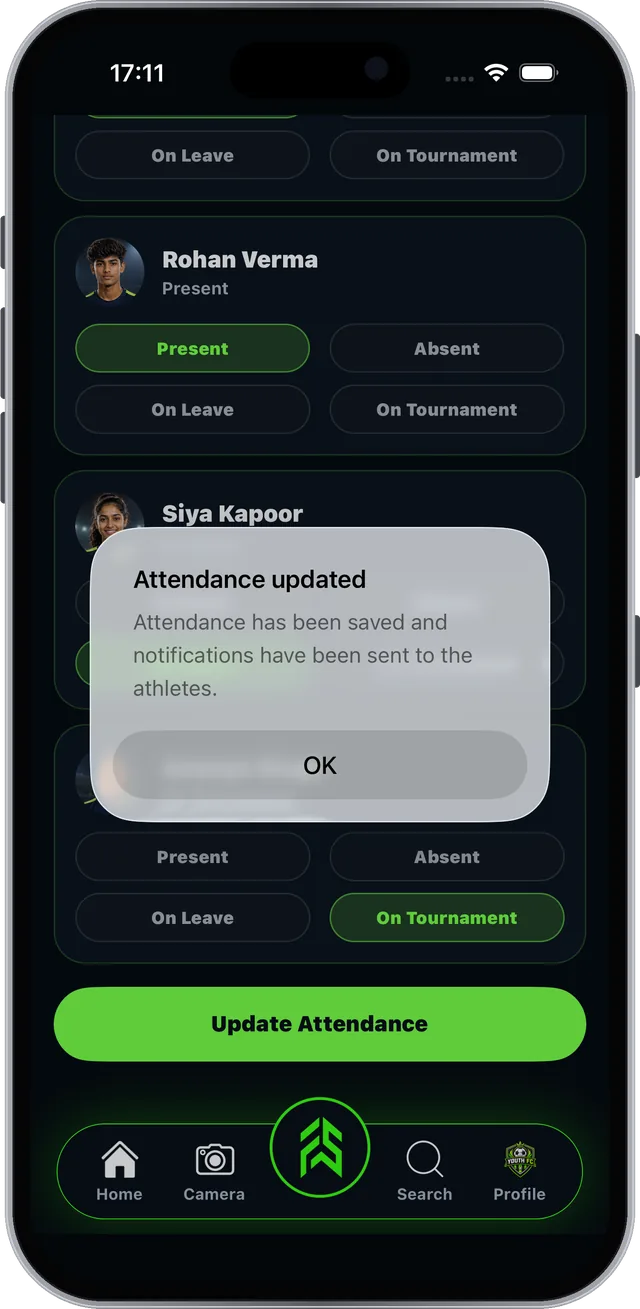
  • Update saved attendance
Guide 4.1 · Attendance

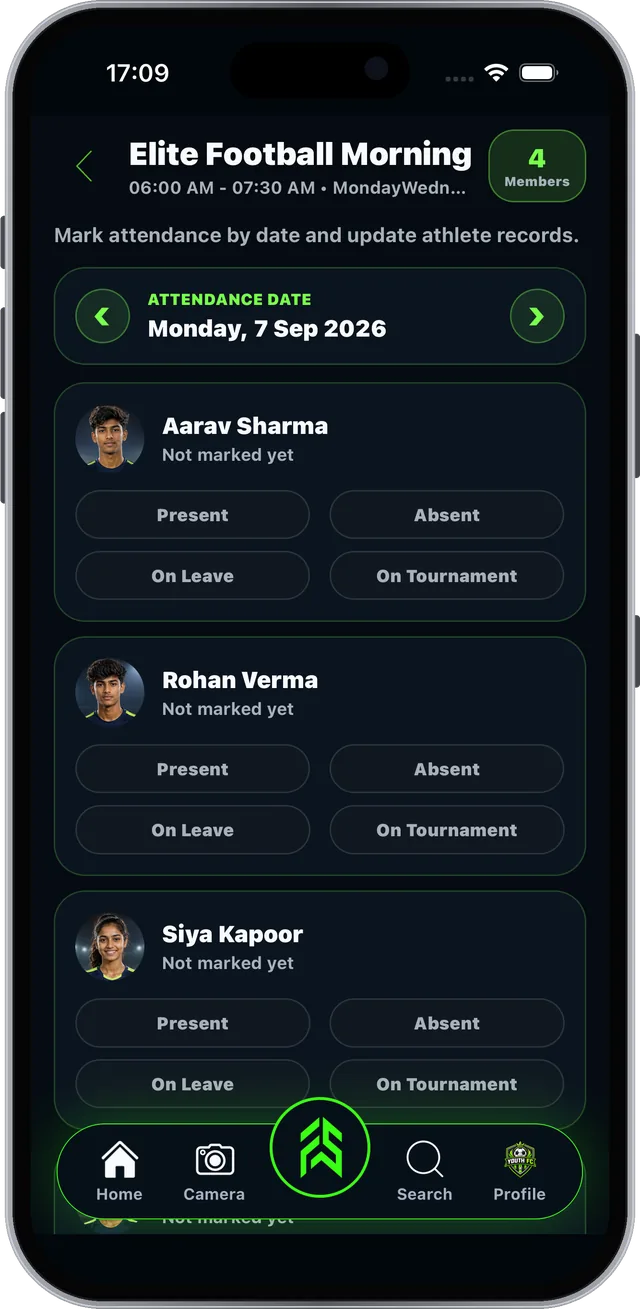
Open a batch and pick the date#

Attendance is saved per batch, per day.
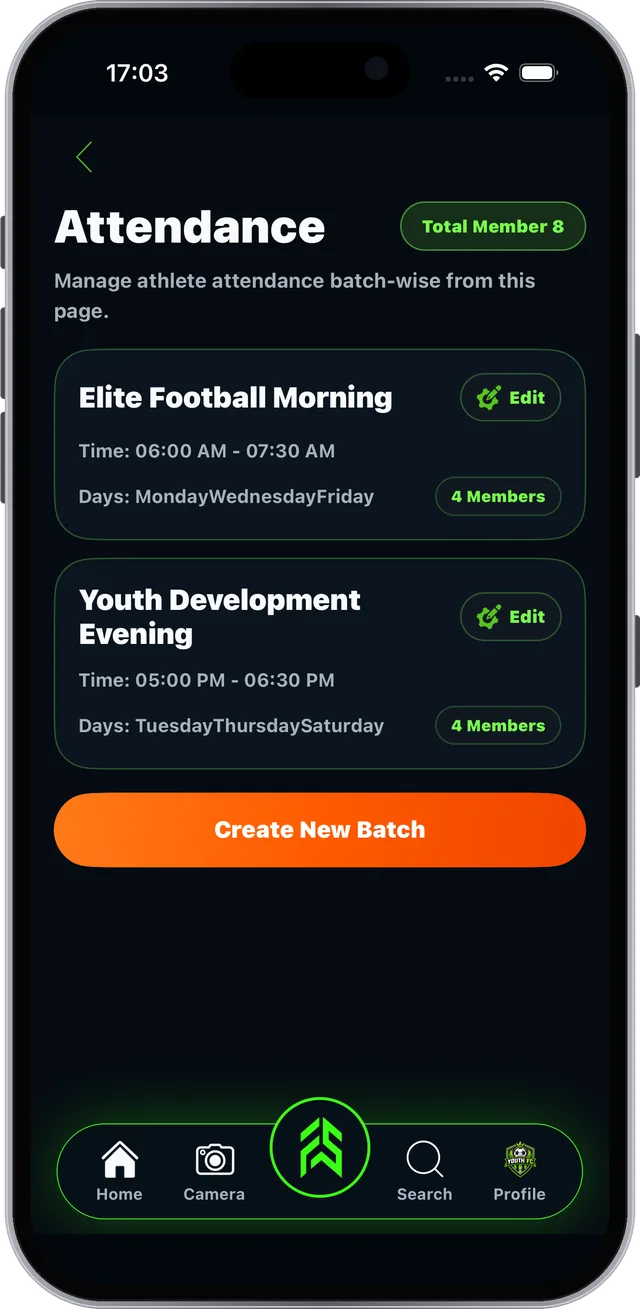
Step 1 of 3
FAB SPORTS app screen: Open a batch and pick the date

Real screen from the FAB SPORTS app

Guide 4.2 · Attendance

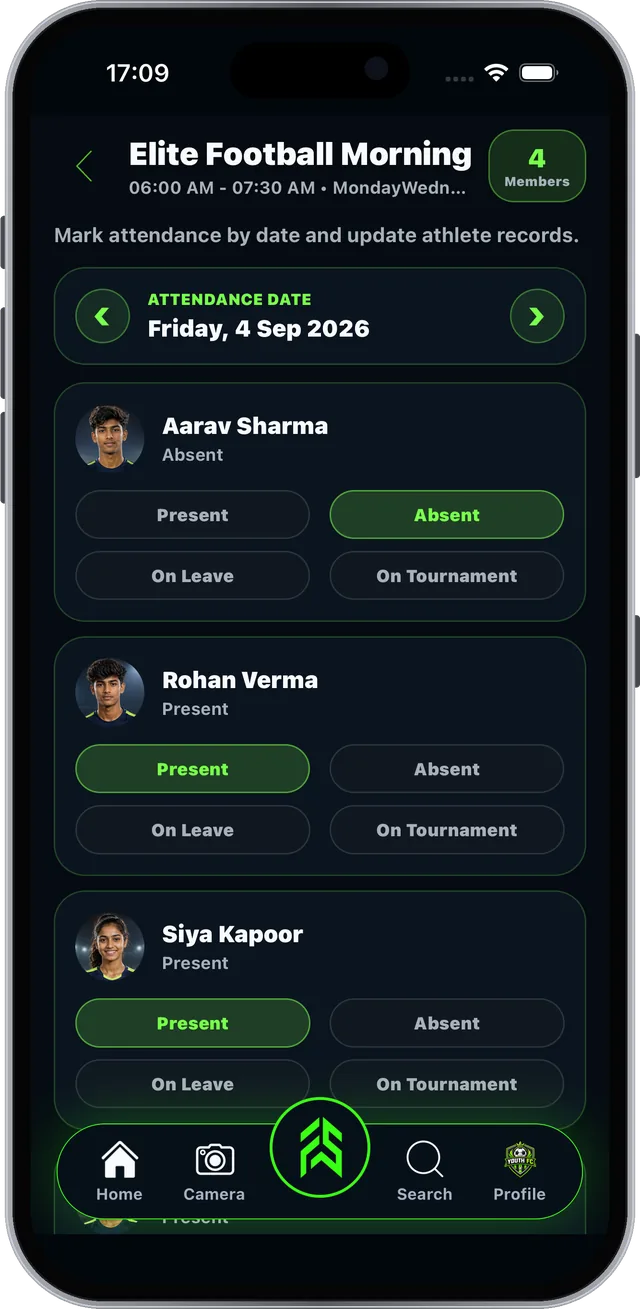
Mark attendance with one tap#

Four statuses cover every situation.

Step 1 of 3
FAB SPORTS app screen: Mark attendance with one tap

Real screen from the FAB SPORTS app

Guide 4.3 · Attendance

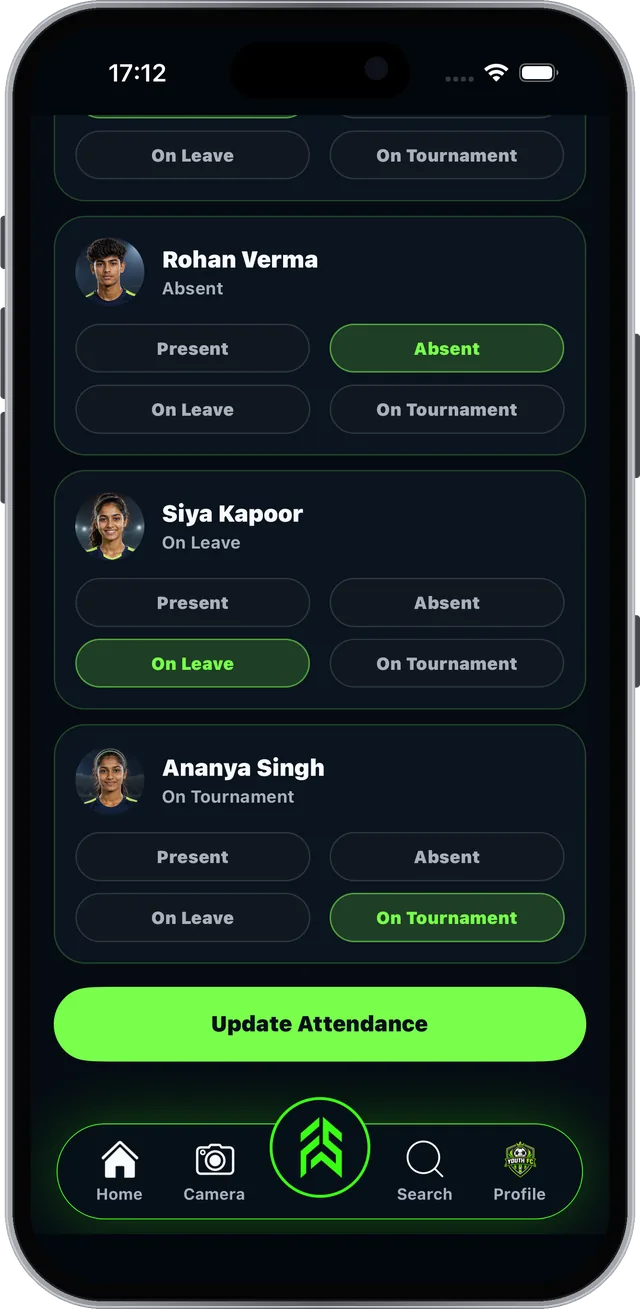
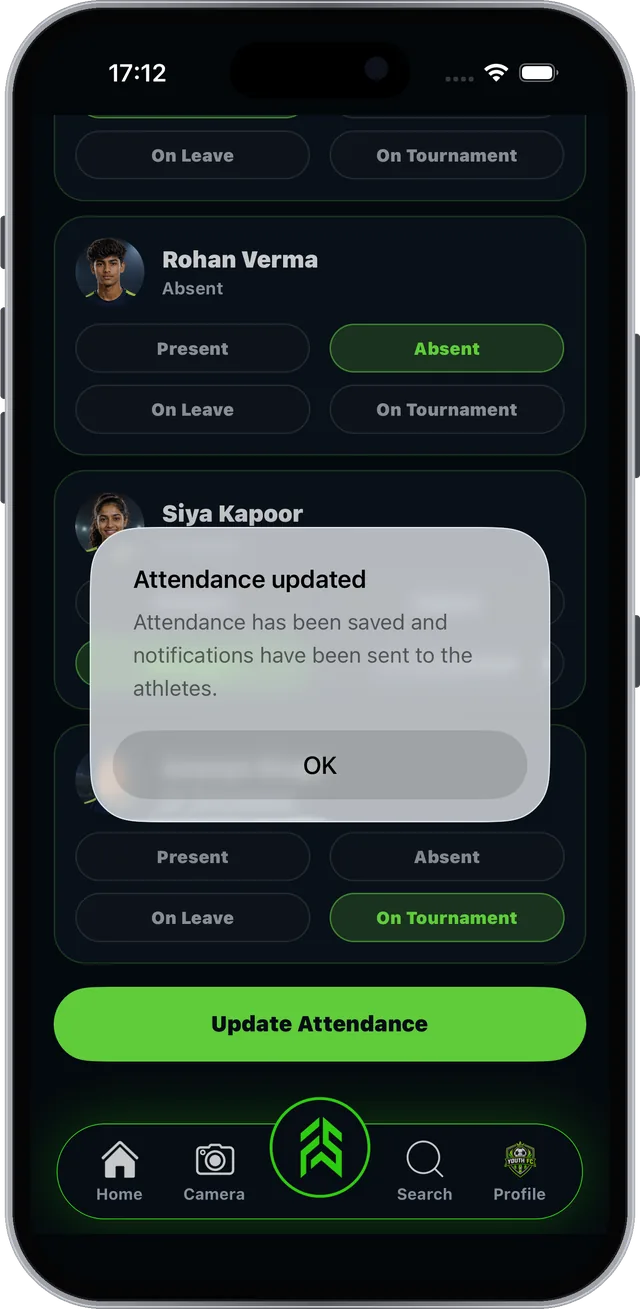
Made a mistake? Update it later#

Saved attendance can be changed at any time.
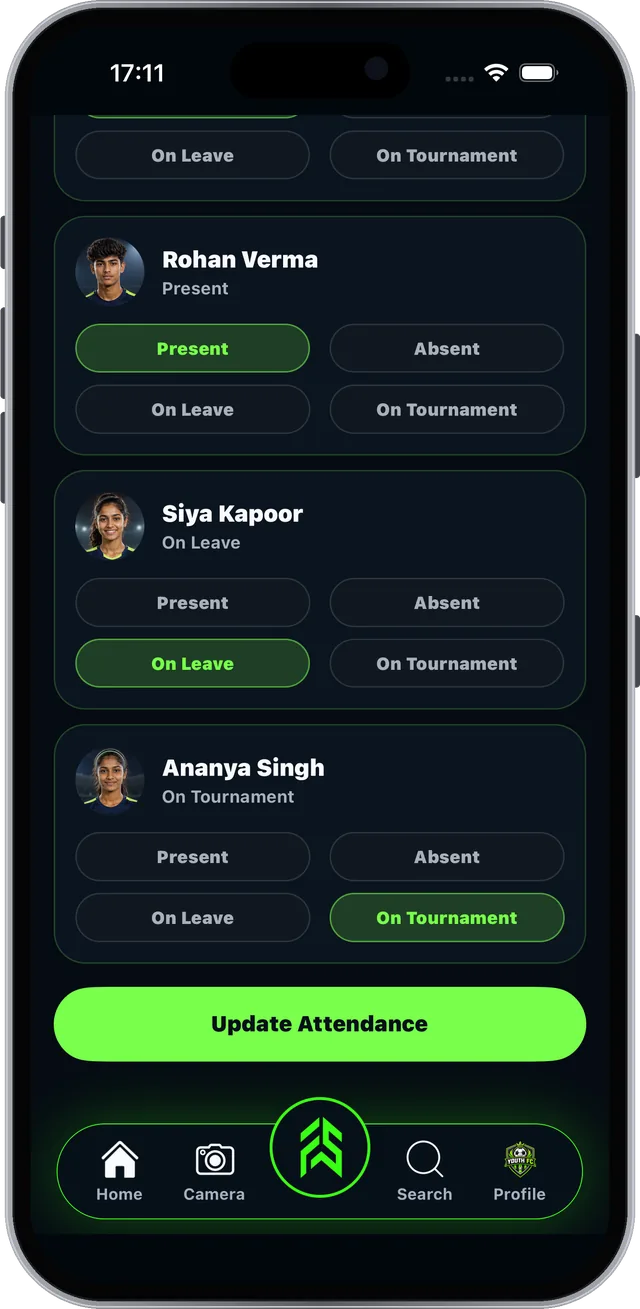
Step 1 of 3
FAB SPORTS app screen: Made a mistake? Update it later

Real screen from the FAB SPORTS app

Section 06 of 11

Finance & Fees

Know what came in, what went out and who still owes.

  • Manage Finance overview
  • Fees, reminders and cash
  • Staff, expenses and income
Guide 6.1 · Finance & Fees

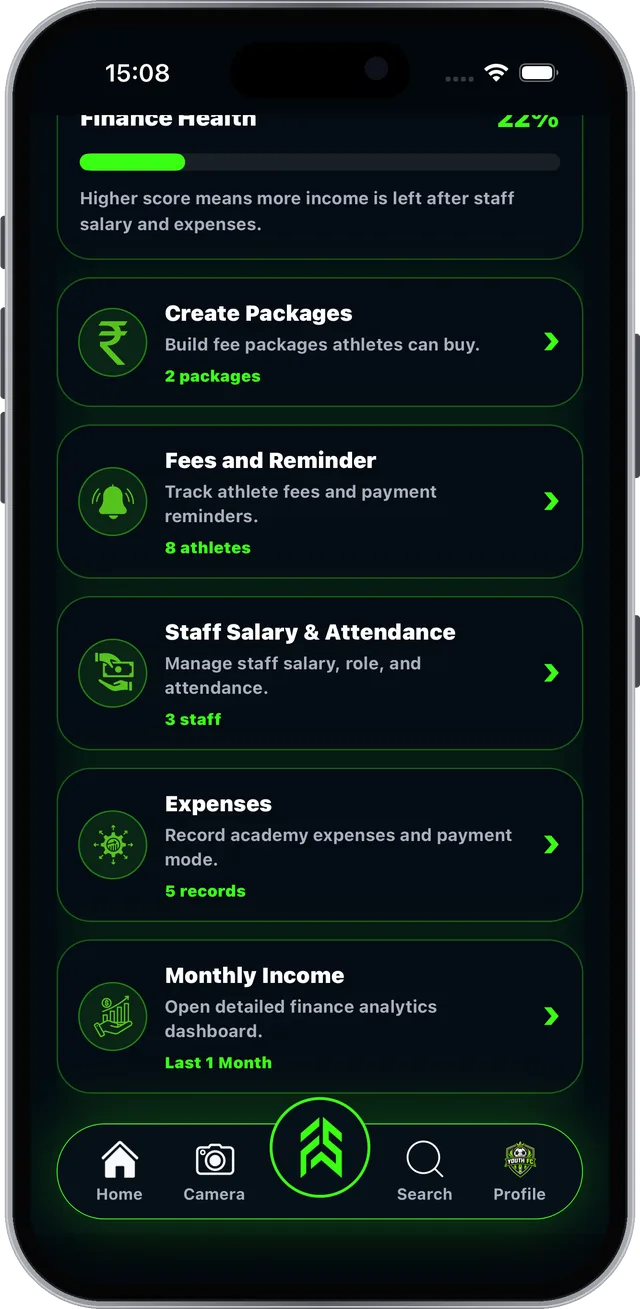
See your academy's money at a glance#

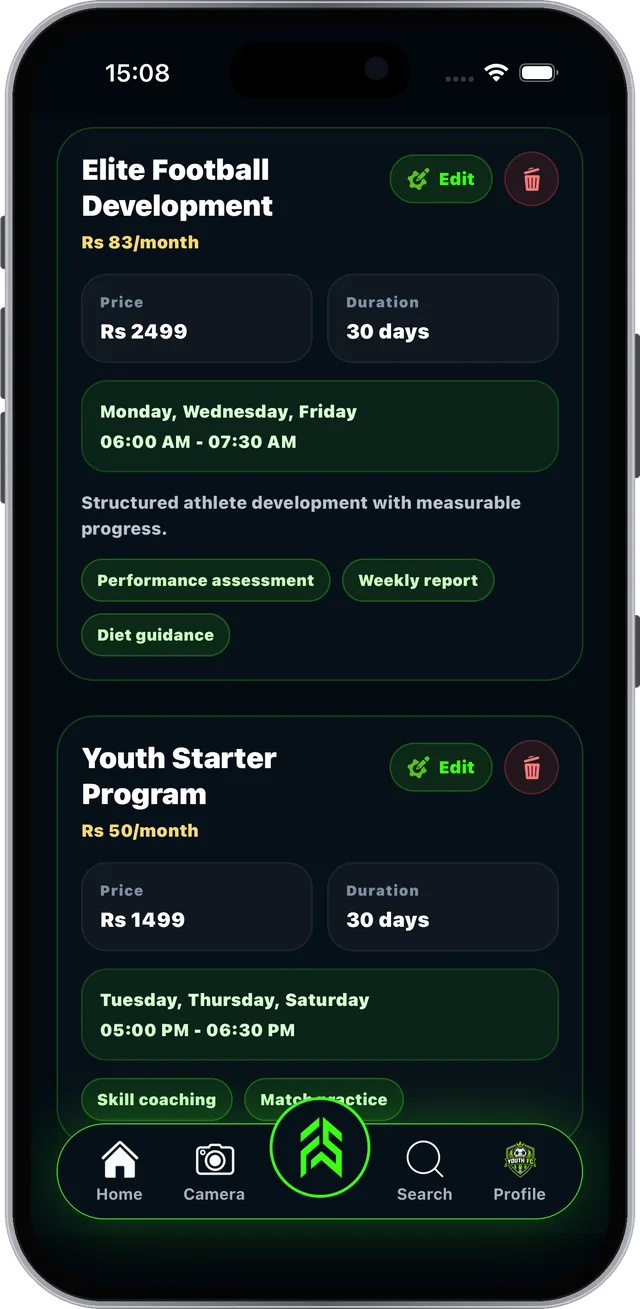
FSLA > Manage Finance (academy owner only).

Step 1 of 4

Every tool is free. No subscription. Academy fees and product prices are set by academies and sellers.
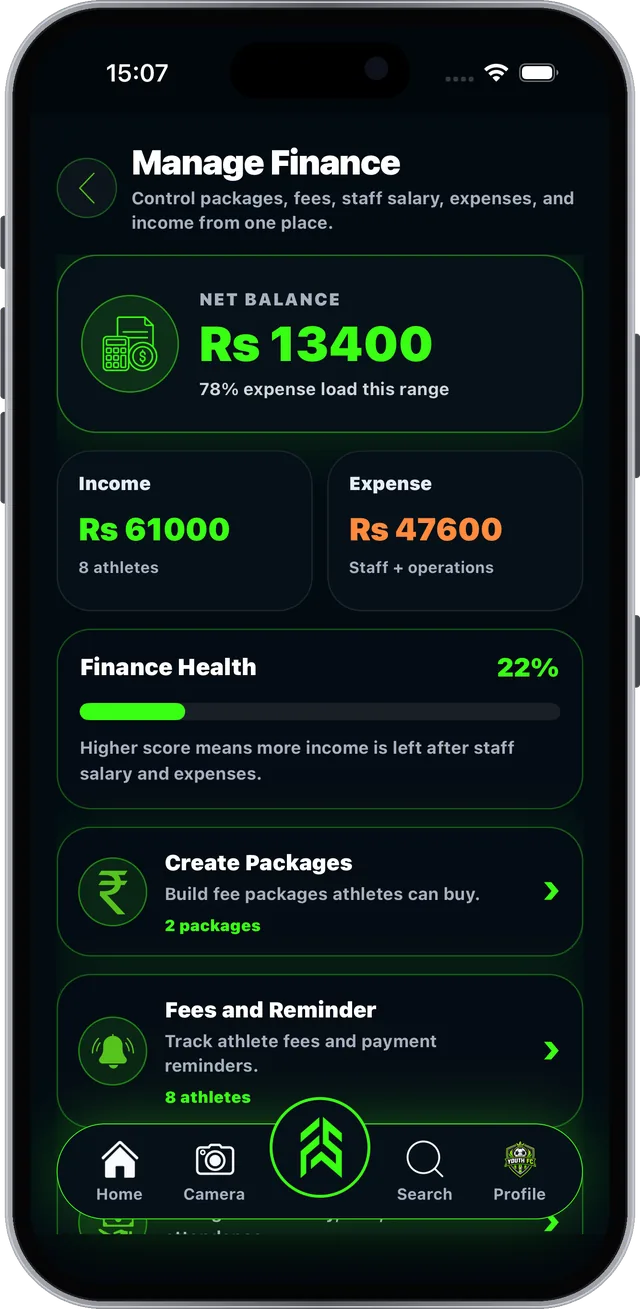
FAB SPORTS app screen: See your academy's money at a glance

Real screen from the FAB SPORTS app

Guide 6.2 · Finance & Fees

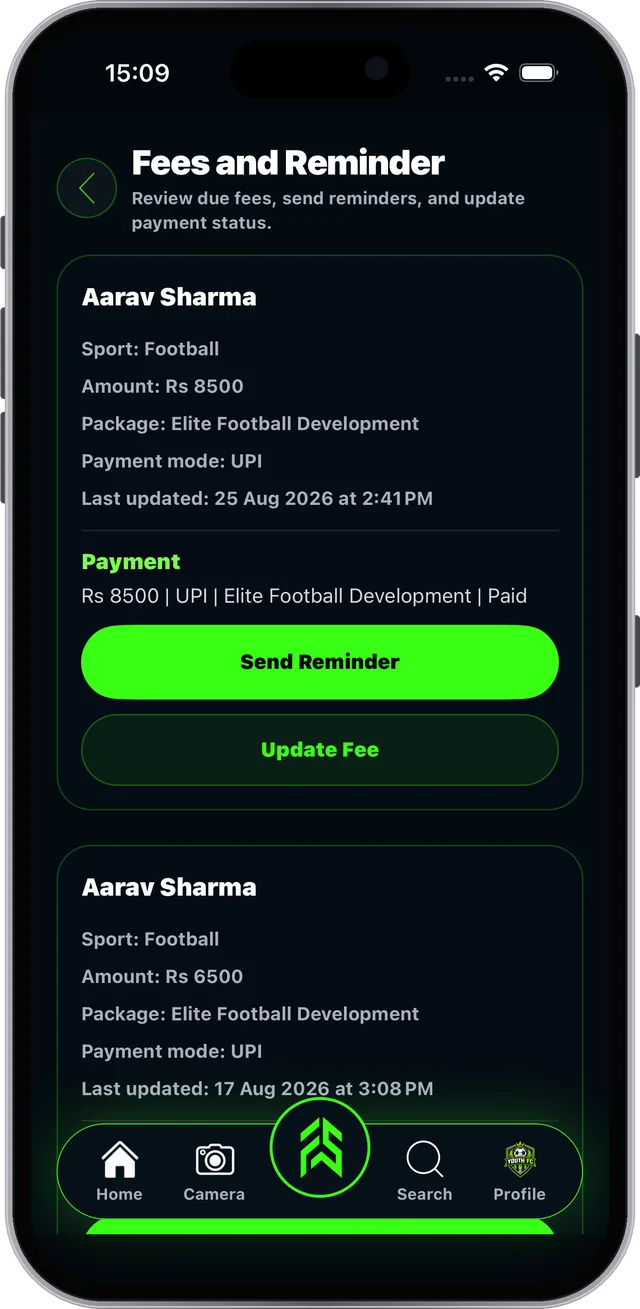
Track fees, send reminders, collect cash#

Fees and Reminder shows every athlete's fee and payment.

Step 1 of 3

Only the academy owner can update it.

Also in Manage Finance

Cash CollectionAthlete chose Pay Directly? It shows here. Tick who paid you in cash, see collected and remaining, and search by athlete name.
FAB SPORTS app screen: Track fees, send reminders, collect cash

Real screen from the FAB SPORTS app

Guide 6.3 · Finance & Fees

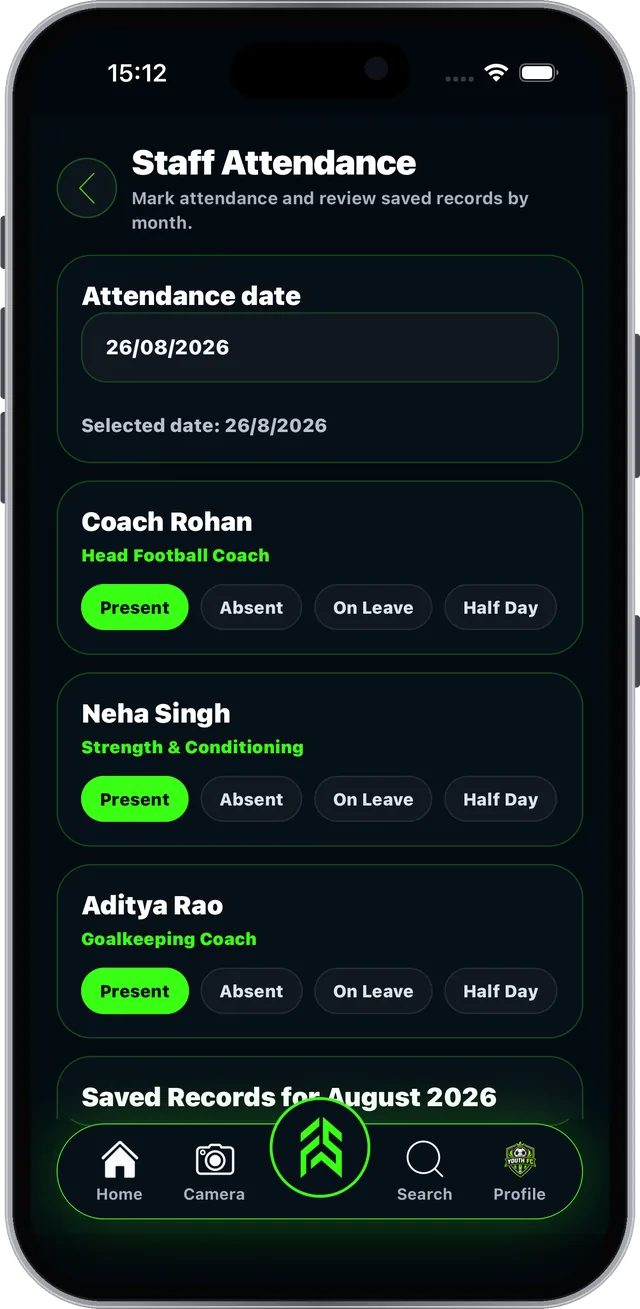
Manage your staff and who can help#

Salary, staff attendance and access in one place.
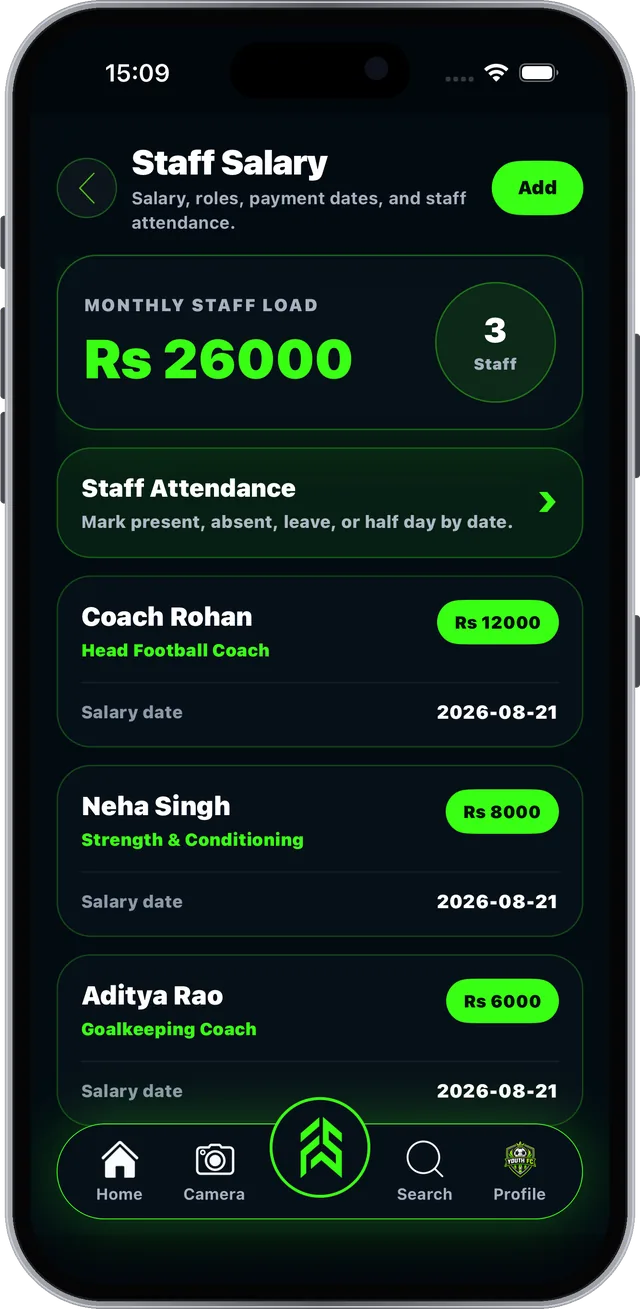
Step 1 of 3
FAB SPORTS app screen: Manage your staff and who can help

Real screen from the FAB SPORTS app

Guide 6.4 · Finance & Fees

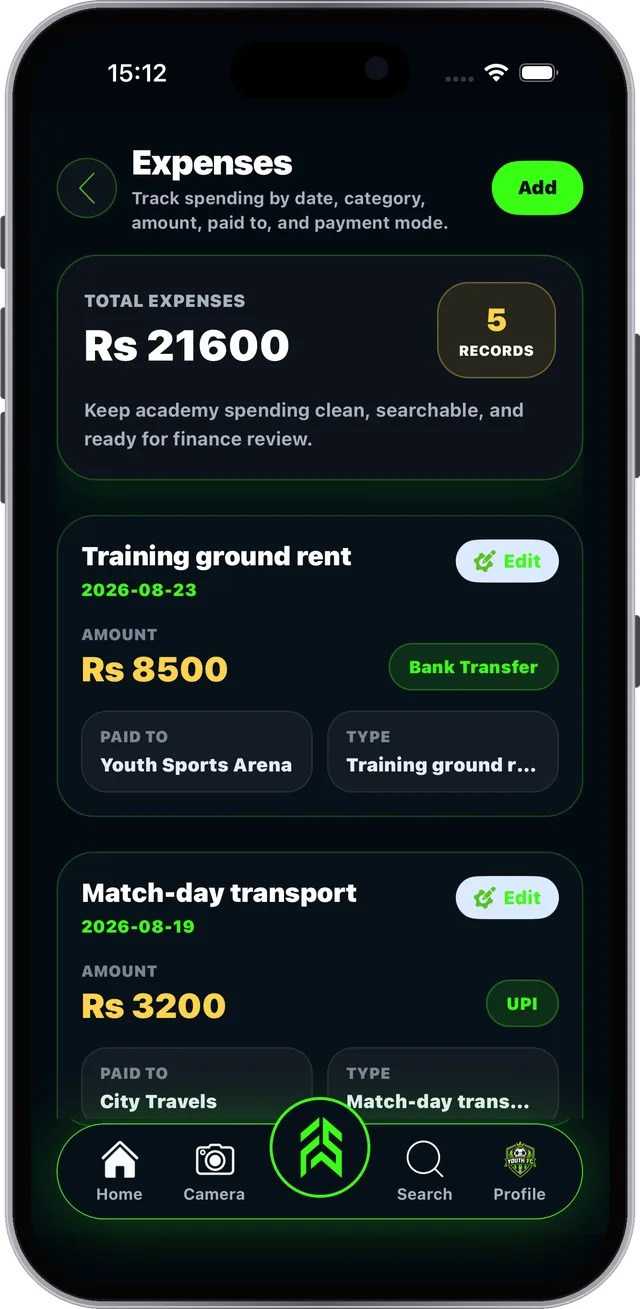
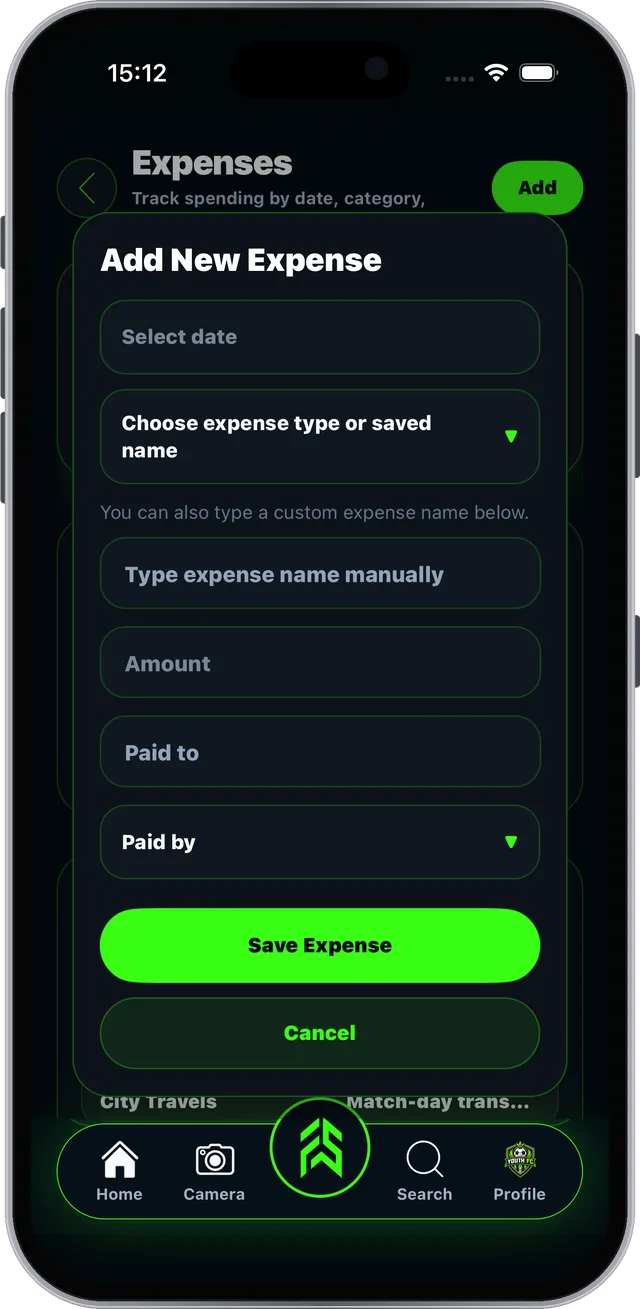
Record every expense#

Know exactly where academy money goes.

Step 1 of 4
FAB SPORTS app screen: Record every expense

Real screen from the FAB SPORTS app

Guide 6.5 · Finance & Fees

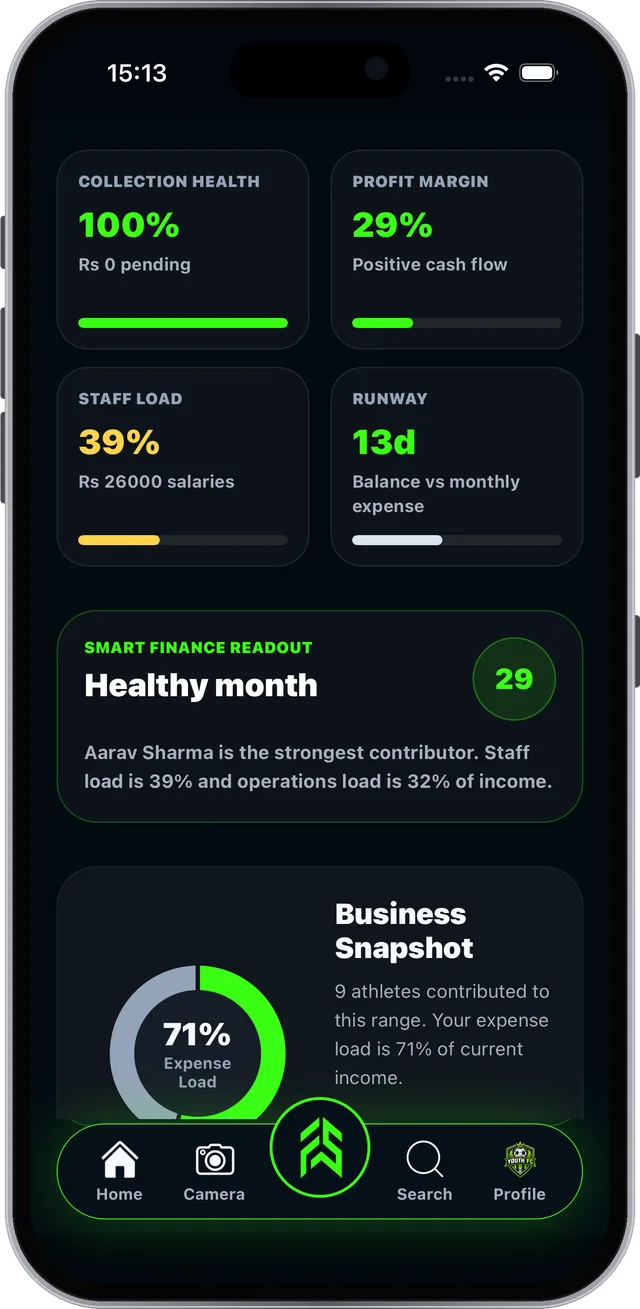
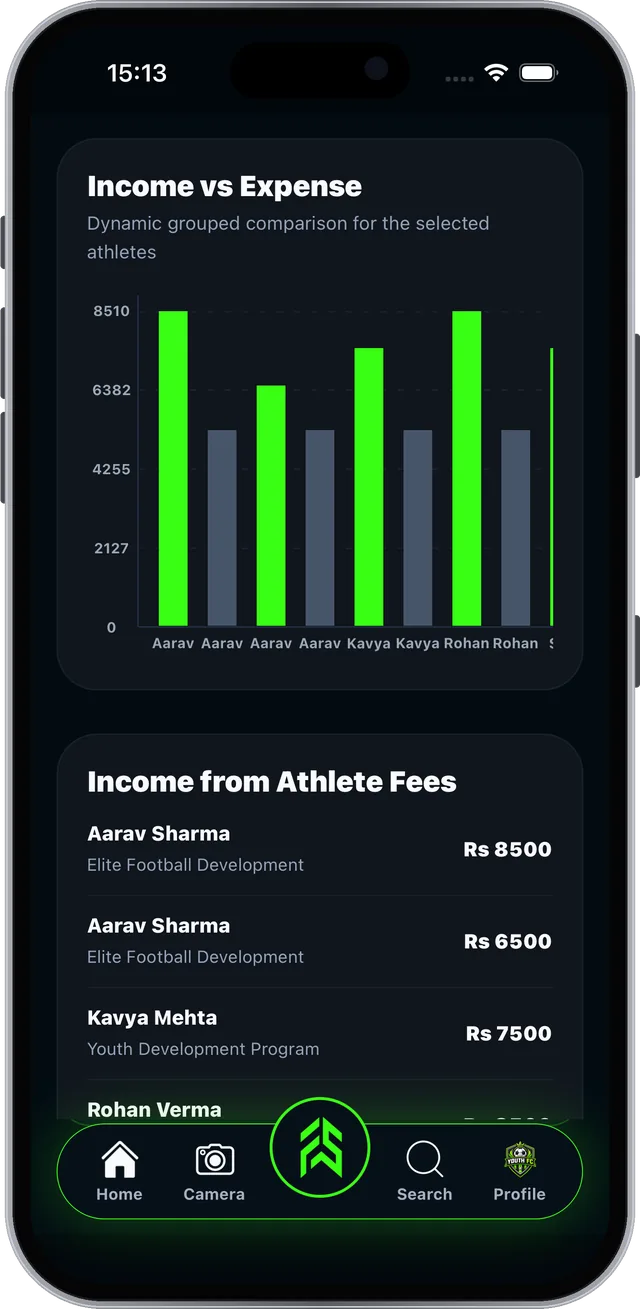
Monthly Income: your finance dashboard#

Income, expense, salary and fee analytics in one view.
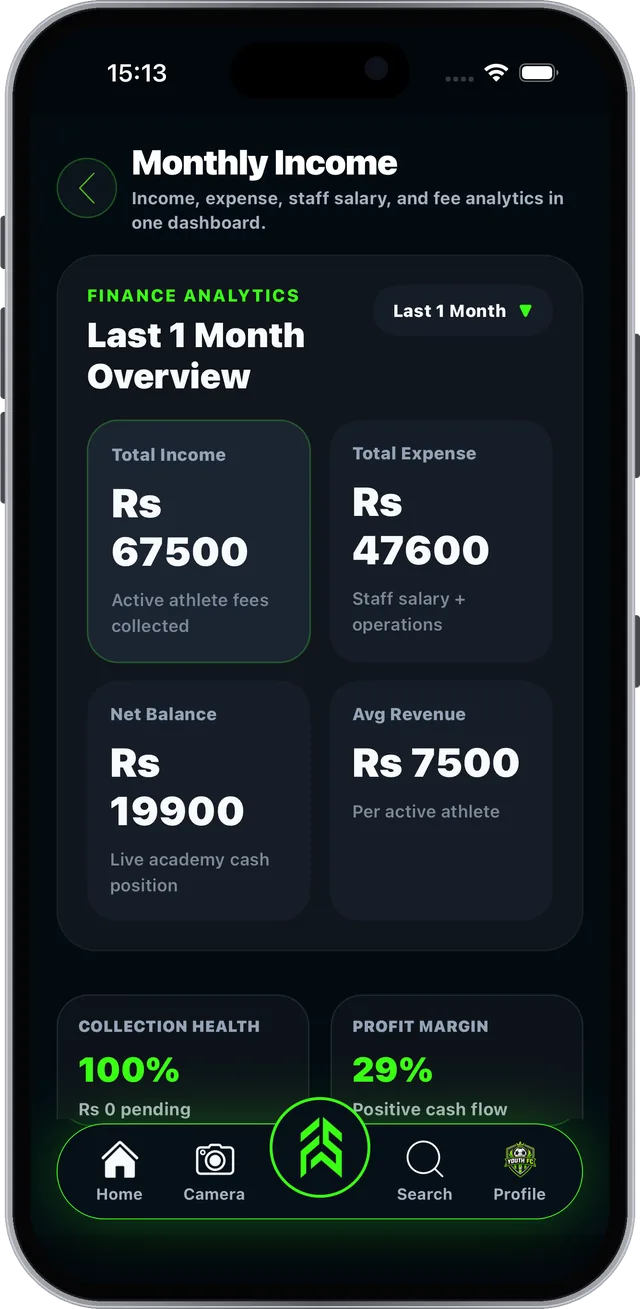
Step 1 of 3
FAB SPORTS app screen: Monthly Income: your finance dashboard

Real screen from the FAB SPORTS app

Section 07 of 11

Packages

Create fee packages athletes can see and buy.

  • Build a package
  • Live packages on your profile
  • Pay Online or Pay Directly
Guide 7.1 · Packages

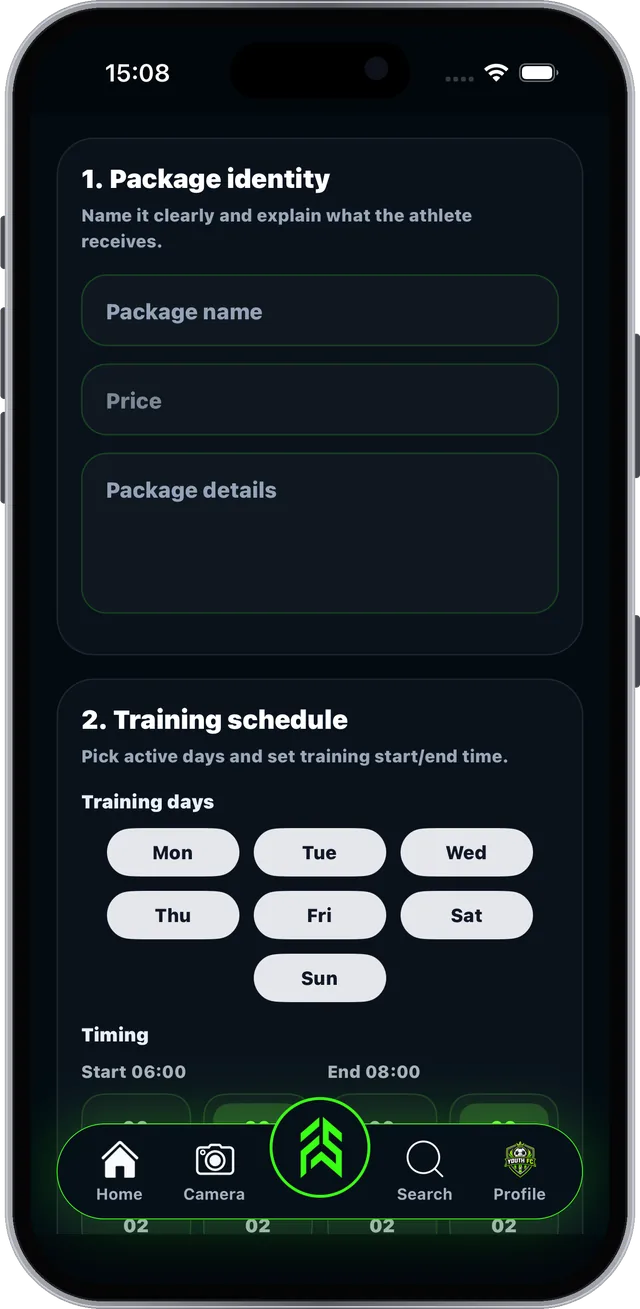
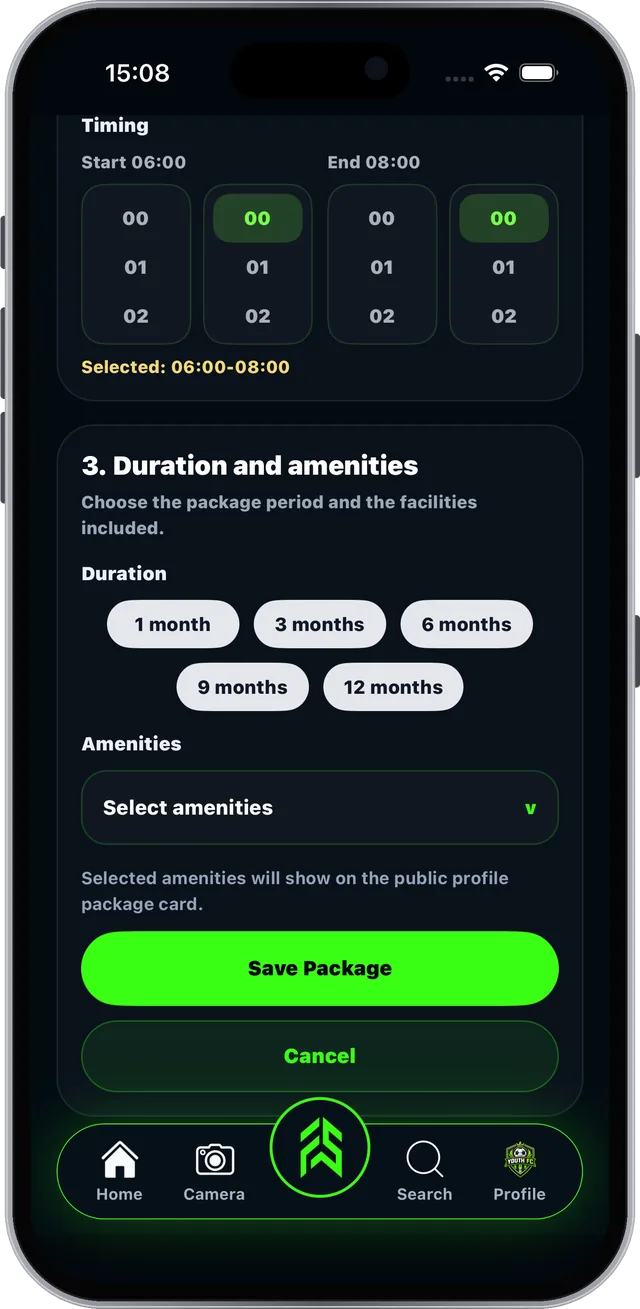
Build a fee package athletes can buy#

Manage Finance > Create Packages > Create.
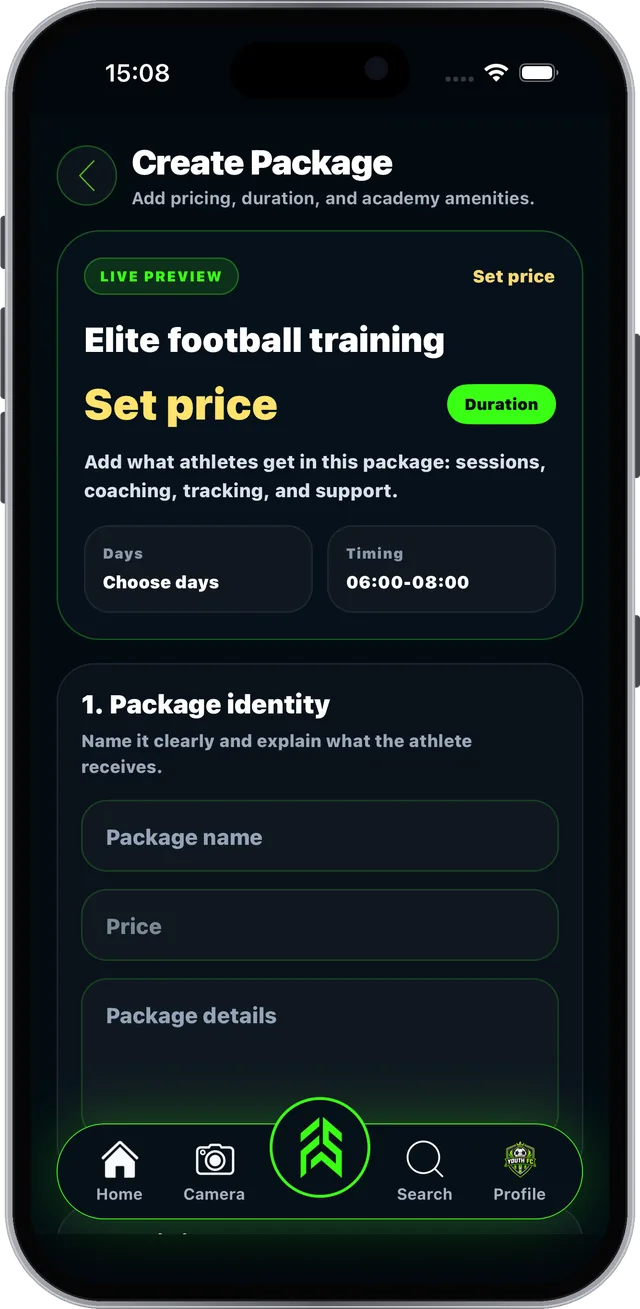
Step 1 of 3
FAB SPORTS app screen: Build a fee package athletes can buy

Real screen from the FAB SPORTS app

Guide 7.2 · Packages

Your packages go live on your profile#

Athletes tap Package on your profile and choose how to pay.

Step 1 of 2

You set your own package prices. Every tool is free. No subscription.

How athletes pay

Pay OnlineRazorpay secure checkout
Pay DirectlyPay you in person; see Cash Collection
FAB SPORTS app screen: Your packages go live on your profile

Real screen from the FAB SPORTS app

Section 08 of 11

Weekly Plans

Plan training for every batch and keep your gear in check.
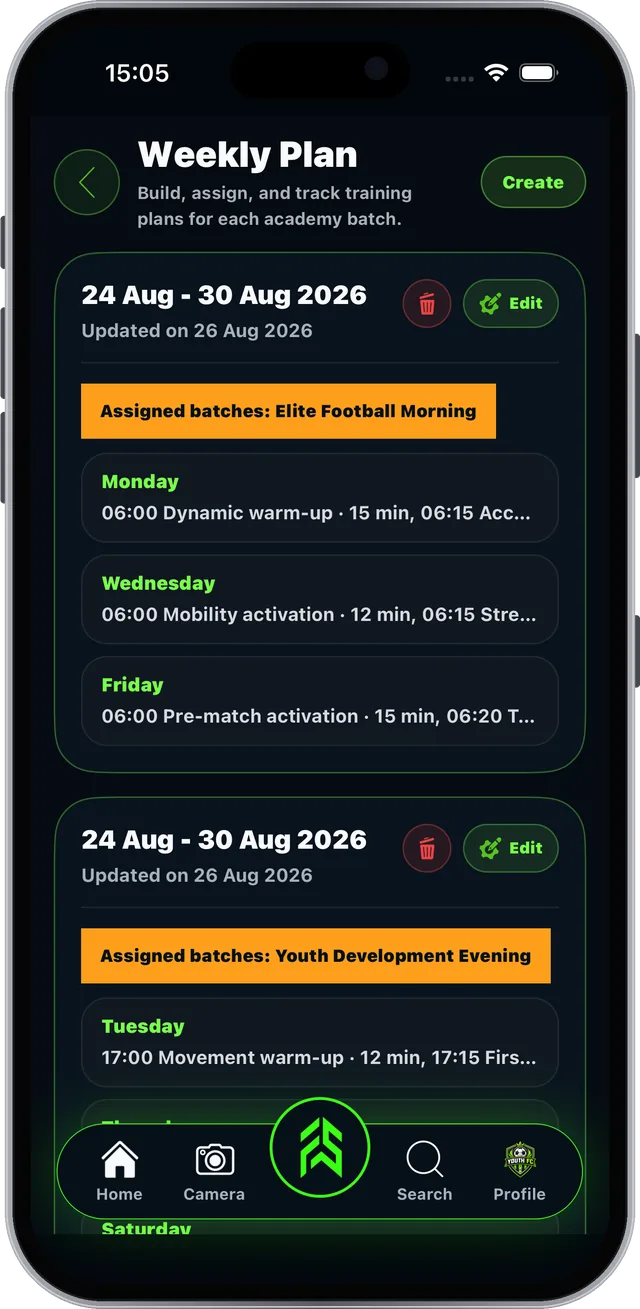
  • Create a weekly plan
  • Workout suggestions
  • Equipment Count
Guide 8.1 · Weekly Plans

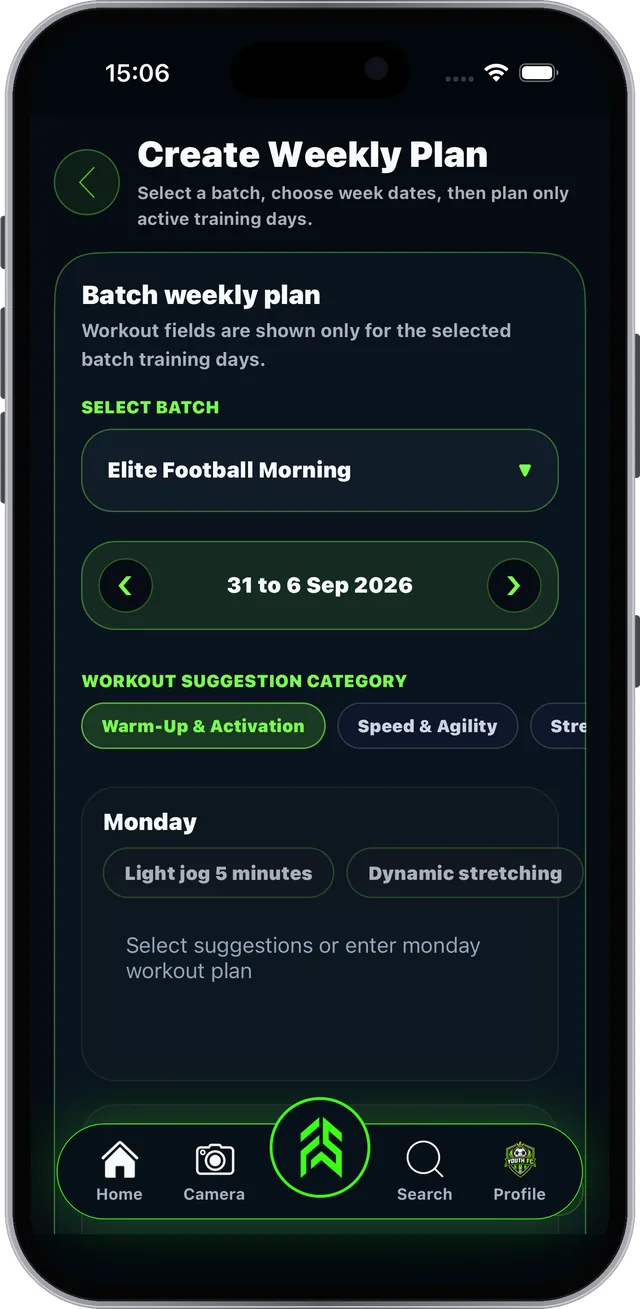
Plan the week for every batch#

FSLA > Weekly Plan.

Step 1 of 3
FAB SPORTS app screen: Plan the week for every batch

Real screen from the FAB SPORTS app

Guide 8.2 · Weekly Plans

Keep track of your equipment#

FSLA > Equipment Count.

Step 1 of 3
FAB SPORTS app screen: Keep track of your equipment

Real screen from the FAB SPORTS app

Section 09 of 11

Performance & Achievements

Show parents real progress, and show the world your wins.

  • Fitness tests and skill ratings
  • Performance Lab
  • Achievements
Guide 9.1 · Performance & Achievements

Test and rate every athlete#

FSLA > Performance Update.

Step 1 of 3
FAB SPORTS app screen: Test and rate every athlete

Real screen from the FAB SPORTS app

Guide 9.2 · Performance & Achievements

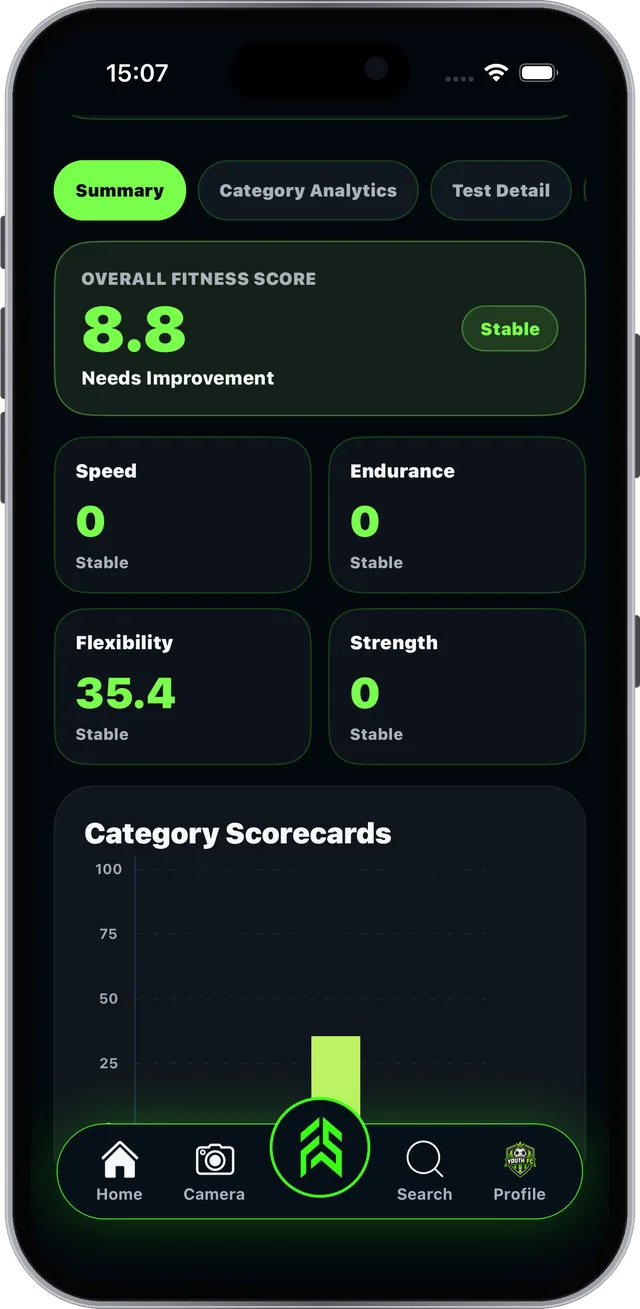
Track progress in the Performance Lab#

Fitness tests by FAB SPORTS, saved per session.
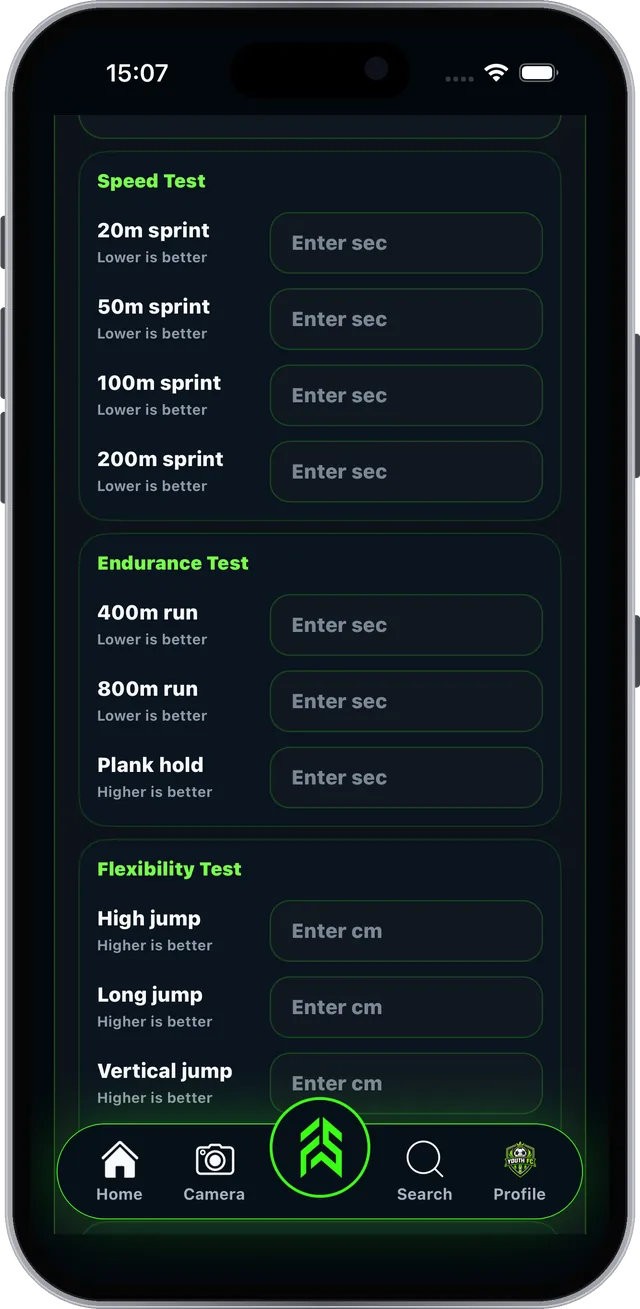
Step 1 of 3
FAB SPORTS app screen: Track progress in the Performance Lab

Real screen from the FAB SPORTS app

Guide 9.3 · Performance & Achievements

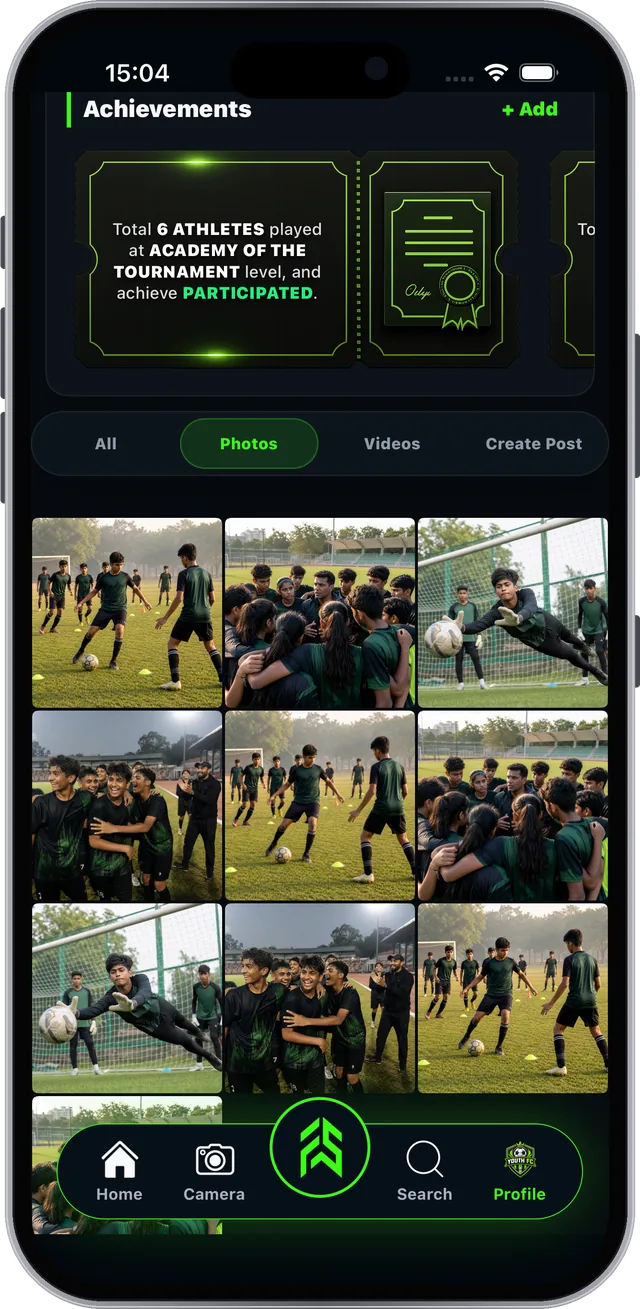
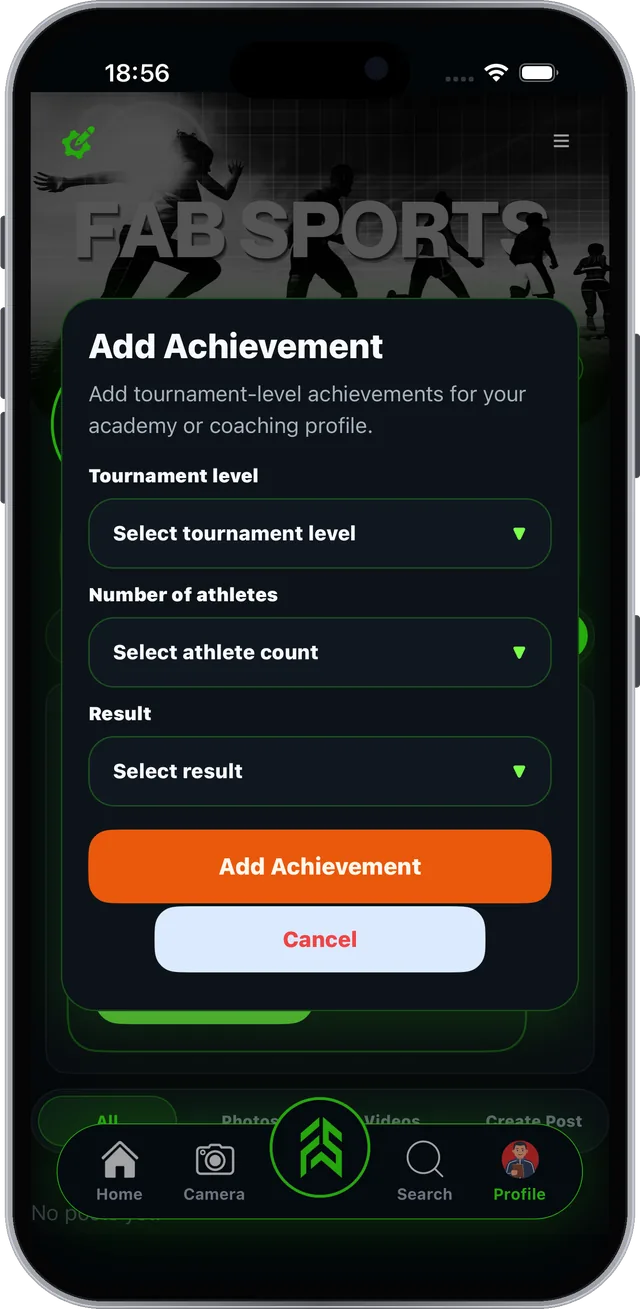
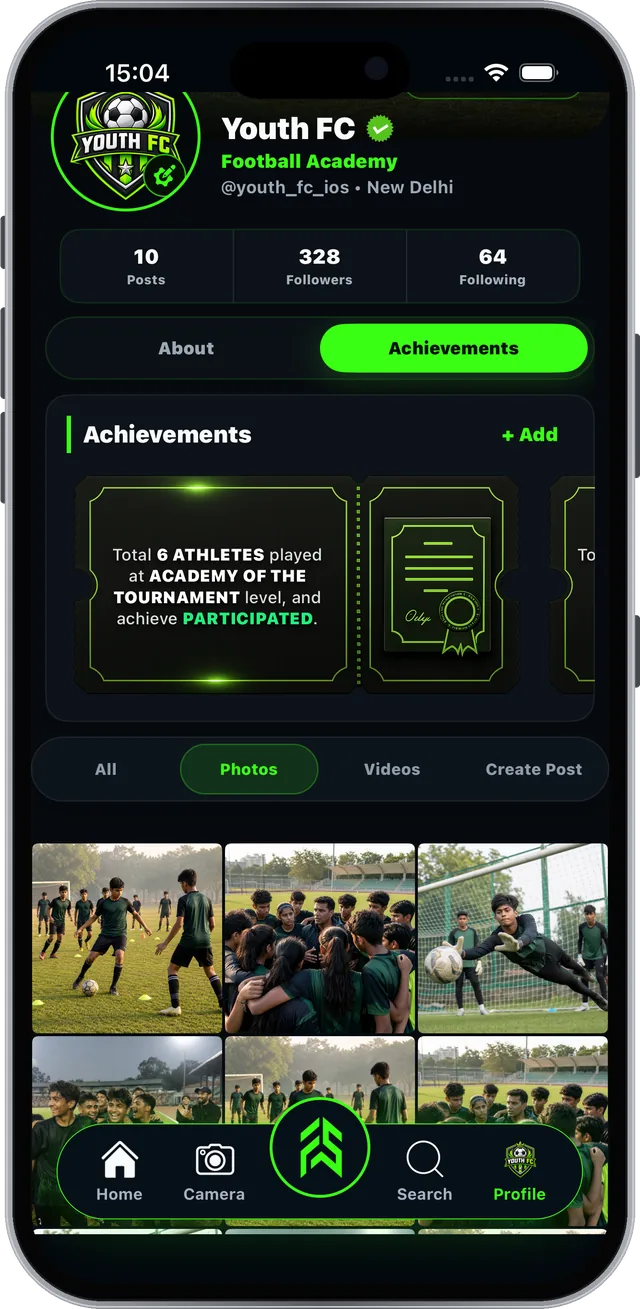
Show off your achievements#

Tournament results build trust with new parents.
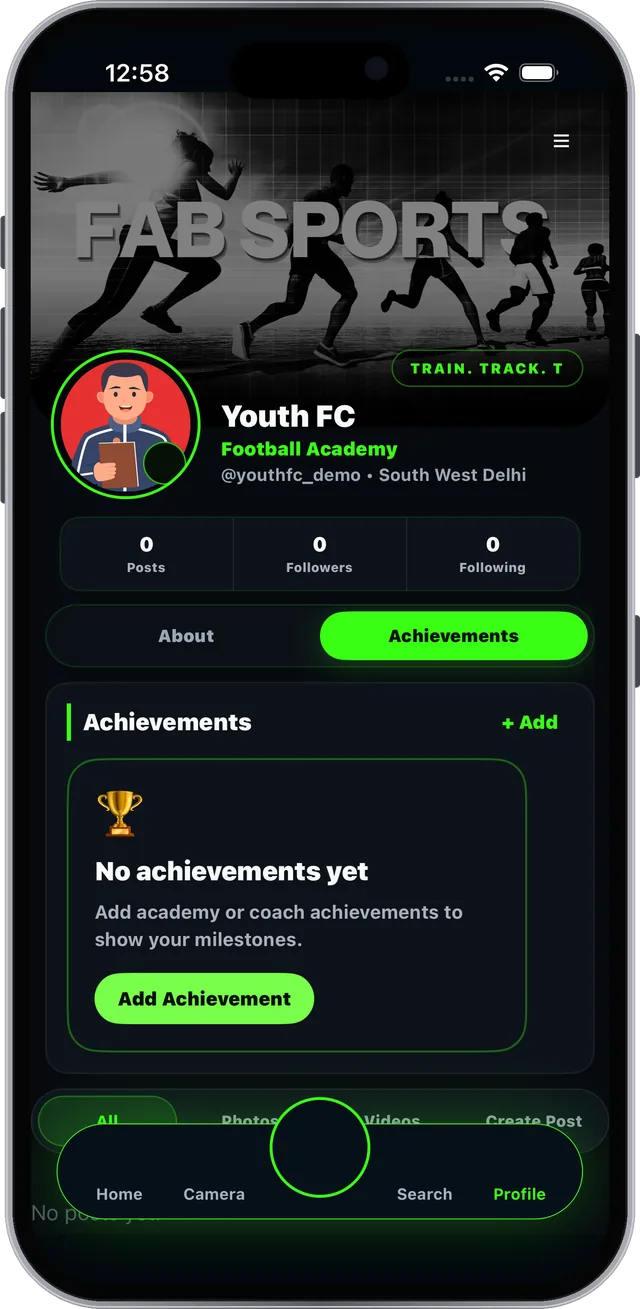
Step 1 of 3
FAB SPORTS app screen: Show off your achievements

Real screen from the FAB SPORTS app

Section 10 of 11

Discovery & Community

Get found by athletes nearby and stay in touch.

  • Find Nearby and your public profile
  • Connect, Chat and Notifications
  • Feed, posts and Sports IQ rewards
Guide 10.1 · Discovery & Community

Get discovered and stay connected#

Your location and profile do the marketing for you.

Tip: add your location, packages and achievements to give athletes more reasons to tap Connect.

Find NearbyAthletes find academies near them using your sign-up location.
Public profileVisitors can Follow, view Packages, Connect or Chat.
NotificationsConnect requests arrive here. Accept to add the athlete.
ChatsMessage athletes. Share photos, documents, locations.
Posts and reelsShare from the Camera tab or your profile to the feed.
Sports IQAnswer sports quiz questions in the feed, earn IQ points.
Guide 10.2 · Discovery & Community

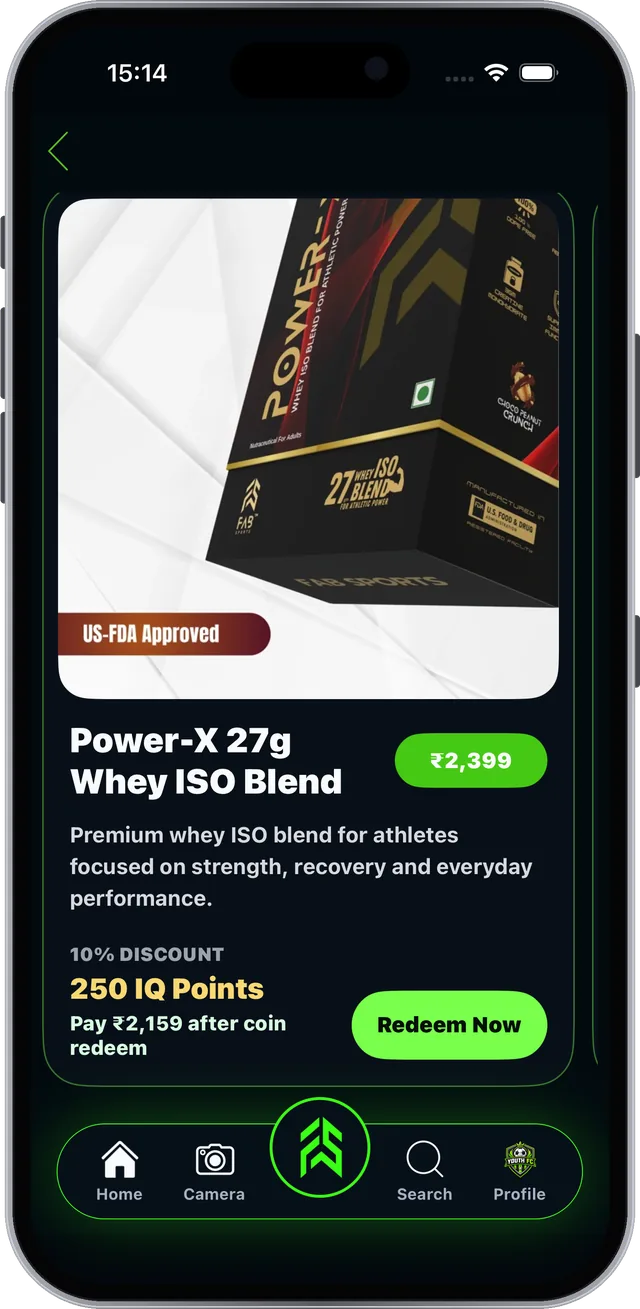
Earn and redeem Sports IQ rewards#

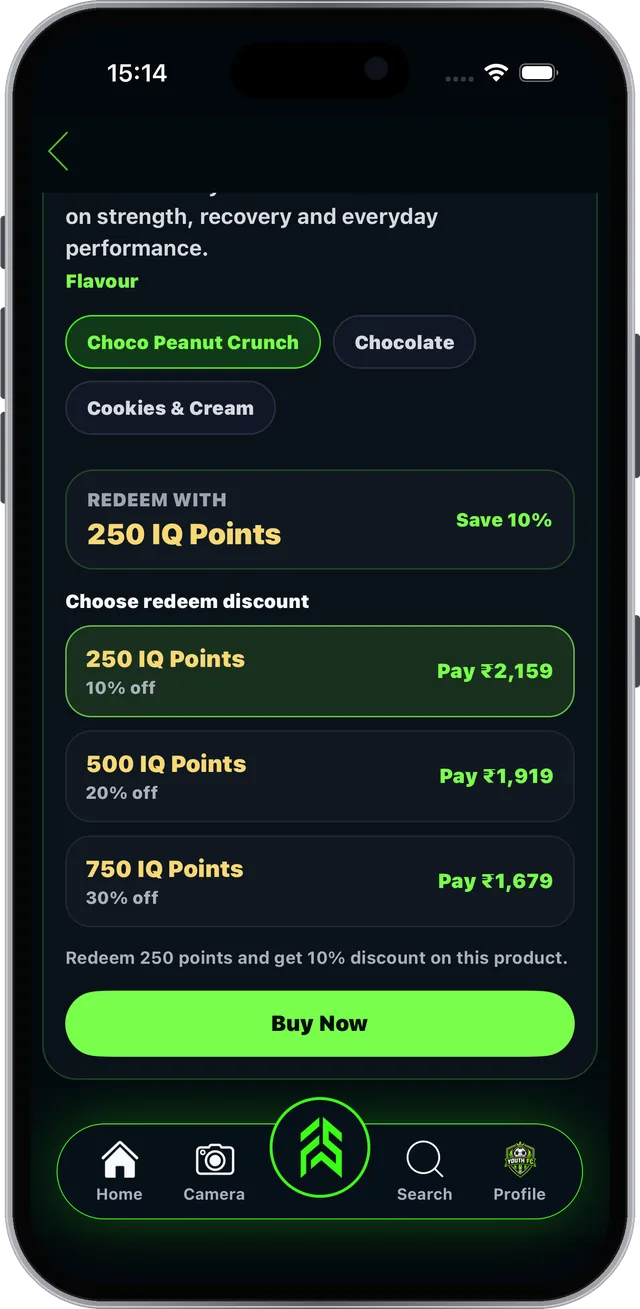
IQ points from Sports IQ unlock discounts on products.

Step 1 of 3

Product prices are set by the sellers.
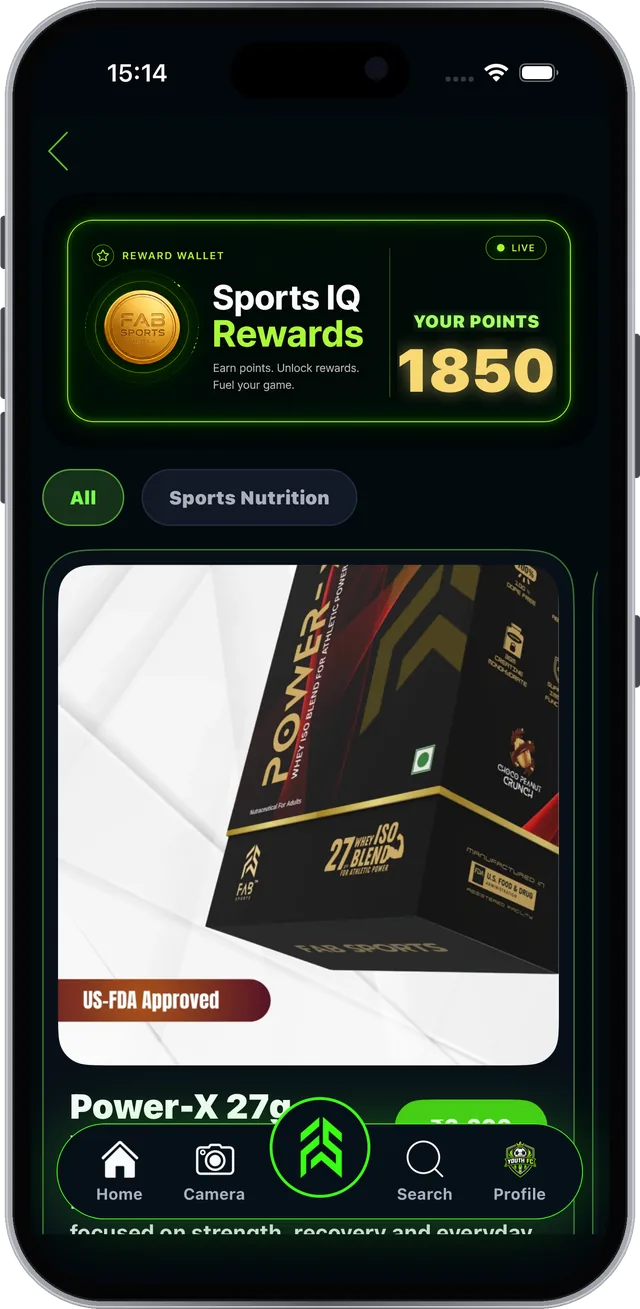
FAB SPORTS app screen: Earn and redeem Sports IQ rewards

Real screen from the FAB SPORTS app

Section 11 of 11

Settings & Profile

Edit, share and protect your profile.

  • Profile menu
  • Privacy and blocked profiles
  • Sign out and account options
Guide 11.1 · Settings & Profile

Everything else lives in the profile menu#

On your profile, tap the menu icon at the top right.
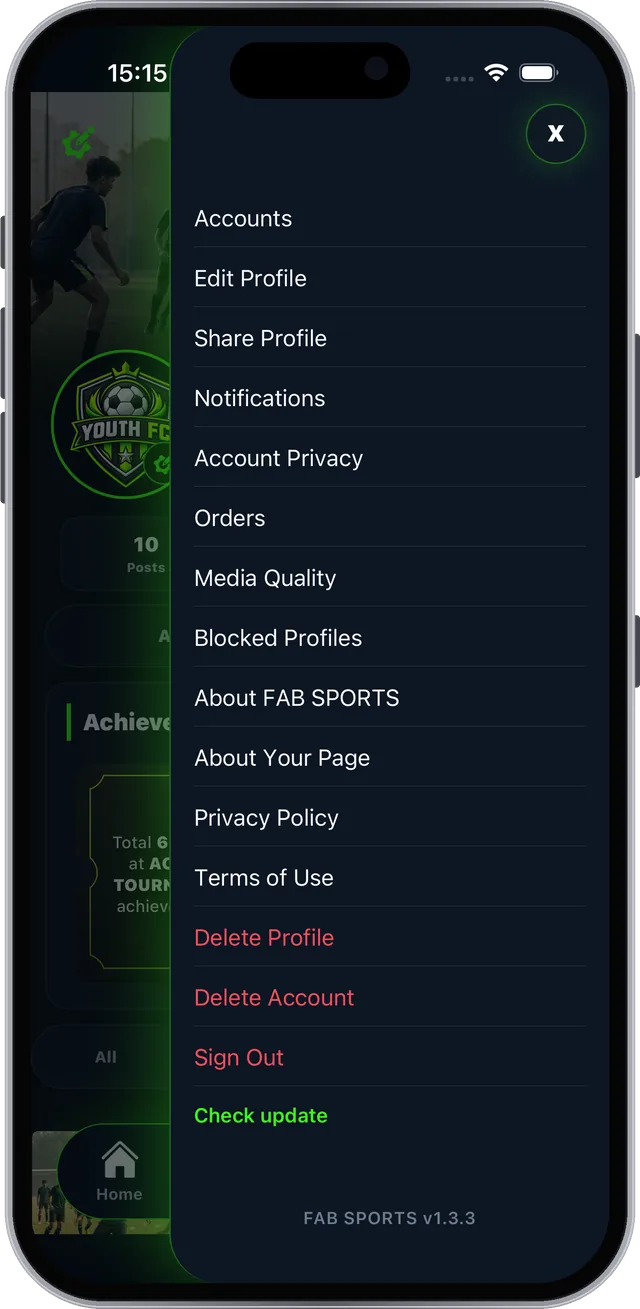
Step 1 of 3

Also in the menu

Orders and mediaOrders · Media Quality
Help and legalAbout FAB SPORTS · Privacy Policy · Terms of Use · Check update
FAB SPORTS app screen: Everything else lives in the profile menu

Real screen from the FAB SPORTS app

Questions

Frequently asked questions

Is FAB SPORTS free for academies and coaches?

Yes. Every tool is free, no subscription. Academy fees and product prices are set by academies and sellers.

How do I create a Business Profile?

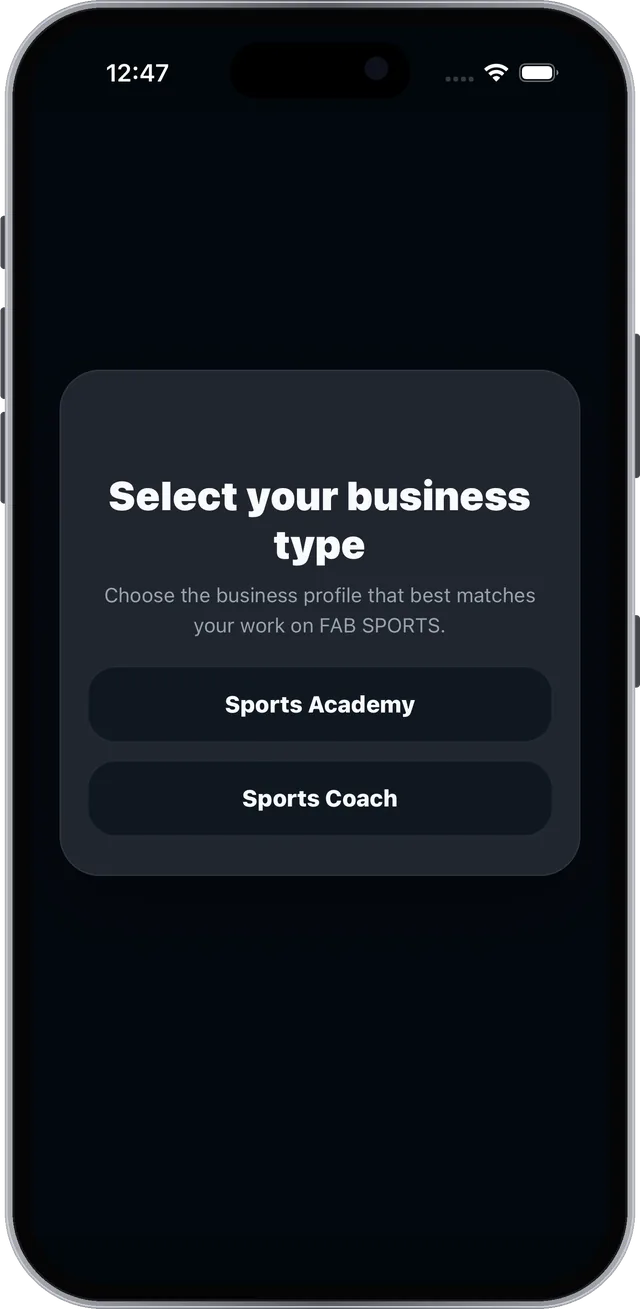
Open FAB SPORTS, tap Sign UP, choose Business Profile and pick Sports Academy or Sports Coach. Add your sport and location, verify your number with the OTP, then fill in your profile and tap Create Profile.

How do athletes join my academy?

Athletes find you through Find Nearby, Search or the feed and tap Connect on your public profile. The request arrives in your Notifications. Accept it, then open Total Member and tap Assign Batch.

Can I change attendance after saving it?

Yes. Open the saved date, change any status and tap Update Attendance again. It is saved and athletes are notified.

Can my staff use the app too?

Yes. Academy owners can open Give Access and add a staff mobile number. Manage Finance and Give Access stay with the owner.

How do athletes pay for a package?

Athletes tap Package on your public profile and choose Pay Online (Razorpay secure checkout) or Pay Directly. Direct payments show in Cash Collection, where you tick who paid you in cash.

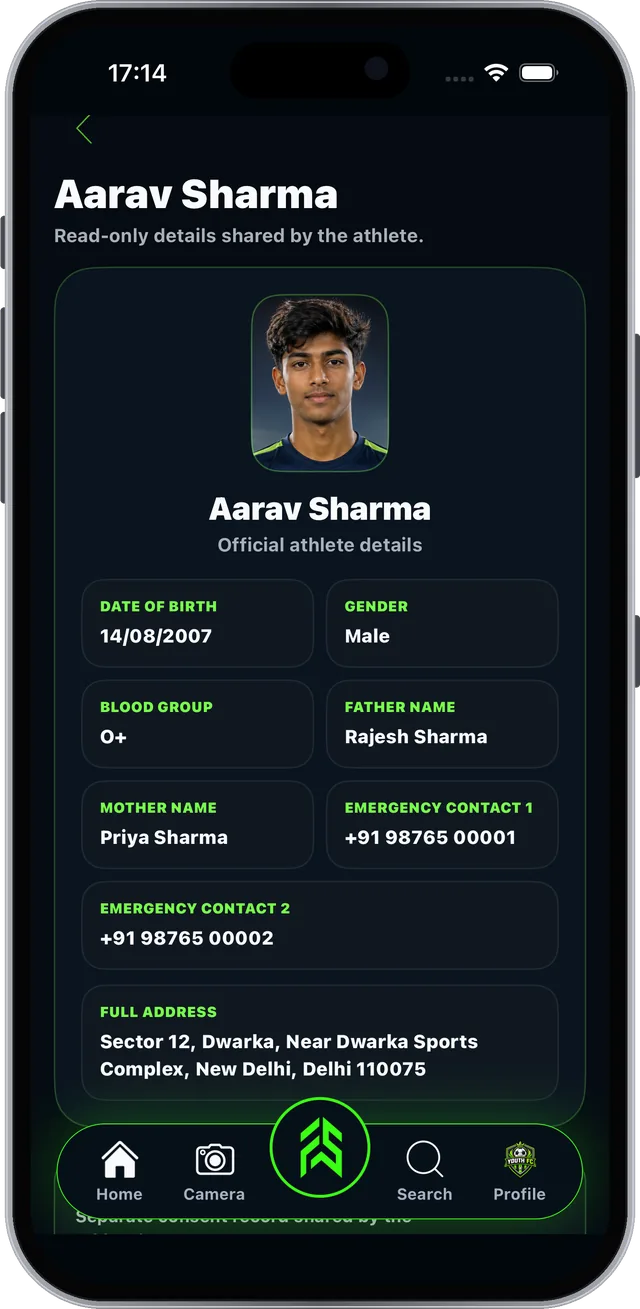
Where do I find parent consent?

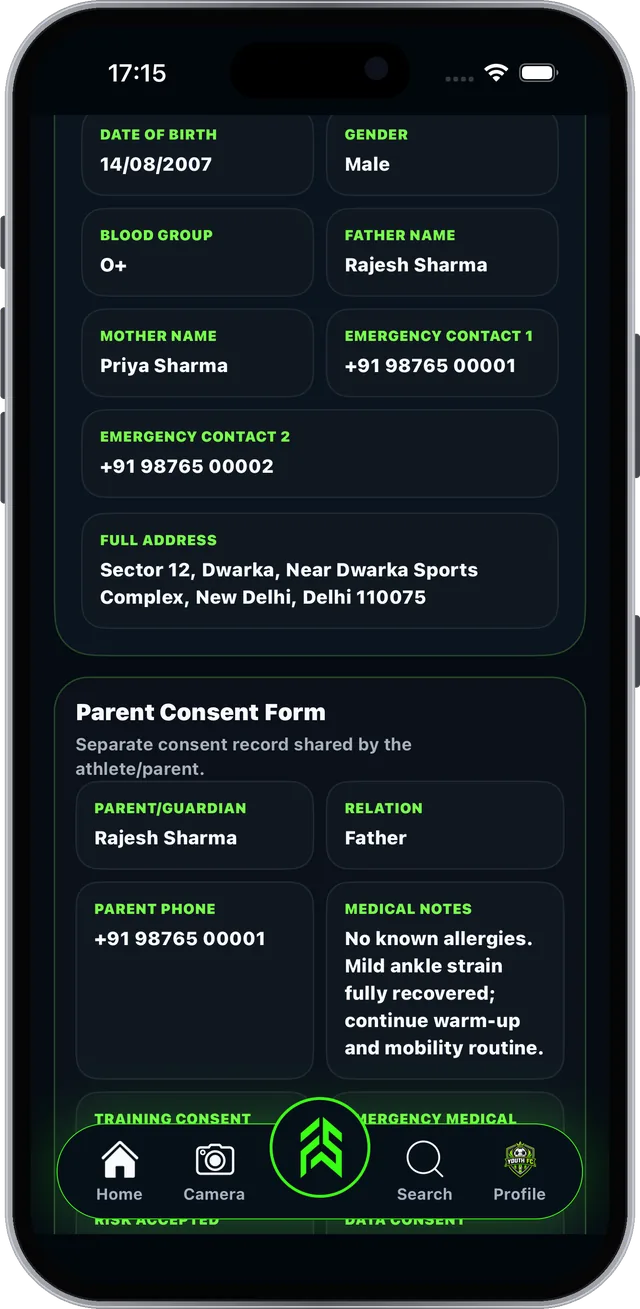
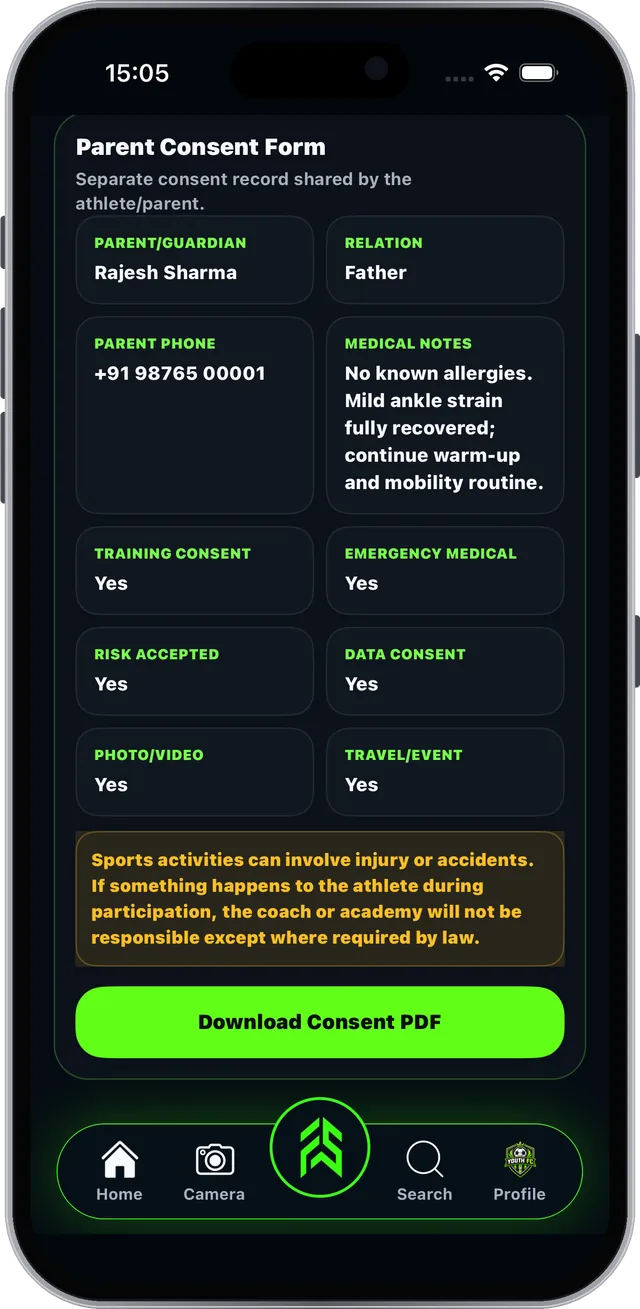
Tap Details on a member to see their info, scroll to the Parent Consent Form and tap Download Consent PDF. It is shared by the athlete or parent and is read-only for you.

Recap · Get started

Easy. Free. Your whole academy on your phone.

Download FAB SPORTS and set up your academy today.

  • Sign up with your phone and an OTP
  • Create batches and assign members
  • Mark attendance in one tap
  • Keep parent consent on hand
  • Run packages, fees, staff and expenses
  • Plan training, track performance
  • Share achievements and posts

Every tool is free. No subscription.

Academy fees and product prices are set by academies and sellers.

PDFDownload the full guide (PDF)All 11 sections, 42 pages · 9 MB

No download needed? Sign up / Login on the web →

Also see the Athlete guide →
↑